Remote Brand Campaign Photoshoots — Direct On-Brand Campaigns Across Cities
Shoot a complete brand campaign without flying everyone to one studio. Direct talent, product and crew in different cities, keep a consistent look across every asset, and pull real RAW files for retouching.
Short answer
A remote brand campaign photoshoot is a full production run across distributed locations: the creative director steers the camera from one city while talent, products and crew sit in another. With CLOS, the director controls focus, exposure and RAW capture on each device, so every campaign asset stays on-brand and full-resolution — no single studio, no flights, no waiting weeks for files.
Key takeaways
- Direct an entire brand campaign remotely — talent, product and crew in different cities, one creative vision
- Real RAW files for retouching, not low-res reference frames or AI mockups
- Consistent look across every hero, social and lifestyle asset in the campaign
- Faster turnaround and lower production cost than flying everyone to one location
- Browser-first rooms — agency, client and talent join with a link, no install
What is a remote brand campaign photoshoot?
A brand campaign photoshoot produces the coordinated set of images a brand uses across a launch — hero shots, lifestyle frames, product details and social cutdowns — all sharing one art direction. Doing it remotely means the people making those images never have to be in the same room. The creative director or photographer connects to a smartphone on set, frames and exposes each shot, and triggers full-resolution captures while the talent and products stay wherever they already are.
CLOS makes this practical for real campaign work. It turns any recent iPhone or Android into a director-controlled camera, so a creative team in one city can run a polished campaign with talent in another — and pull true RAW files for the retouch and grade afterward.
How a remote campaign production works
CLOS keeps the campaign workflow close to an on-set shoot, minus the travel and the logistics overhead.
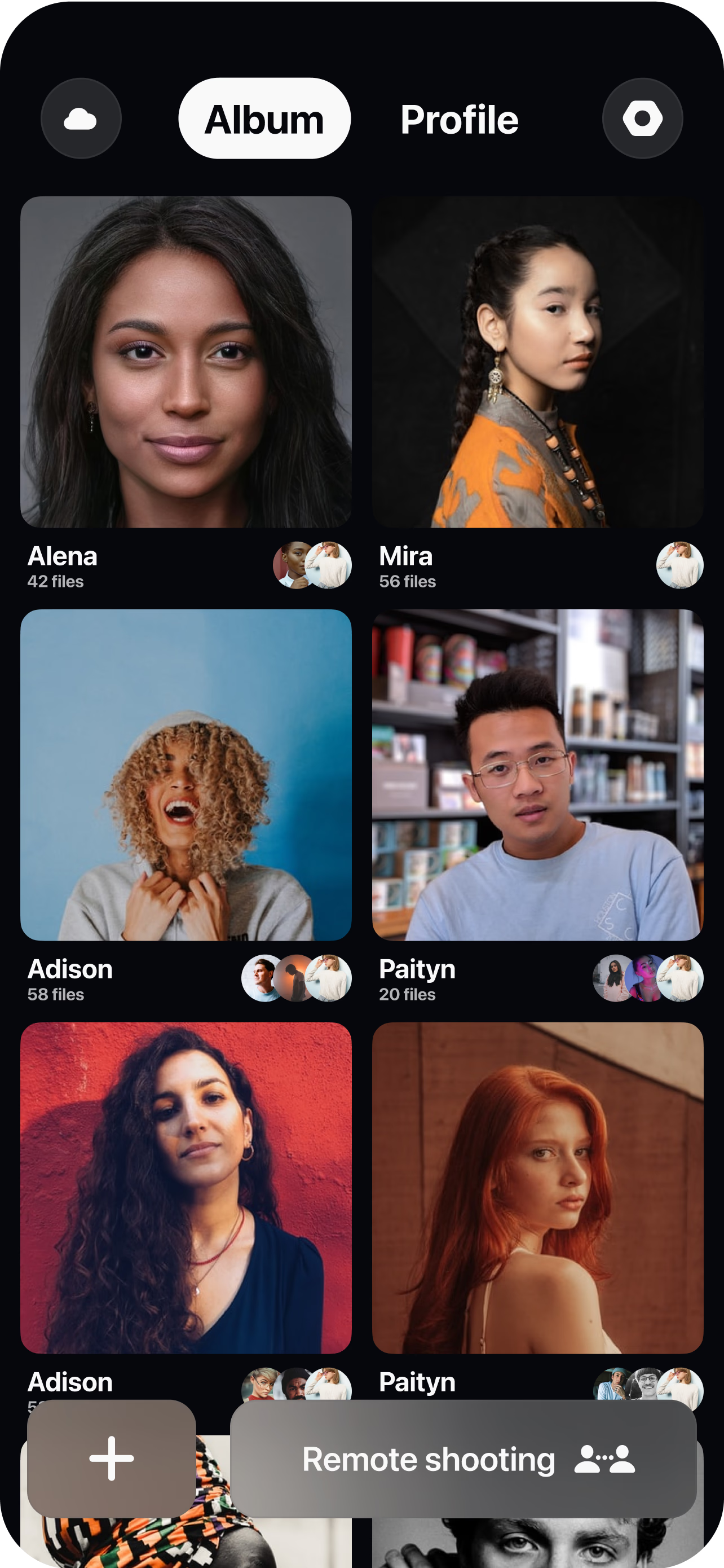
Build the campaign room
Spin up a session, set the brief and invite the art director, client, photographer and talent with one link — everyone reviews the same live feed.
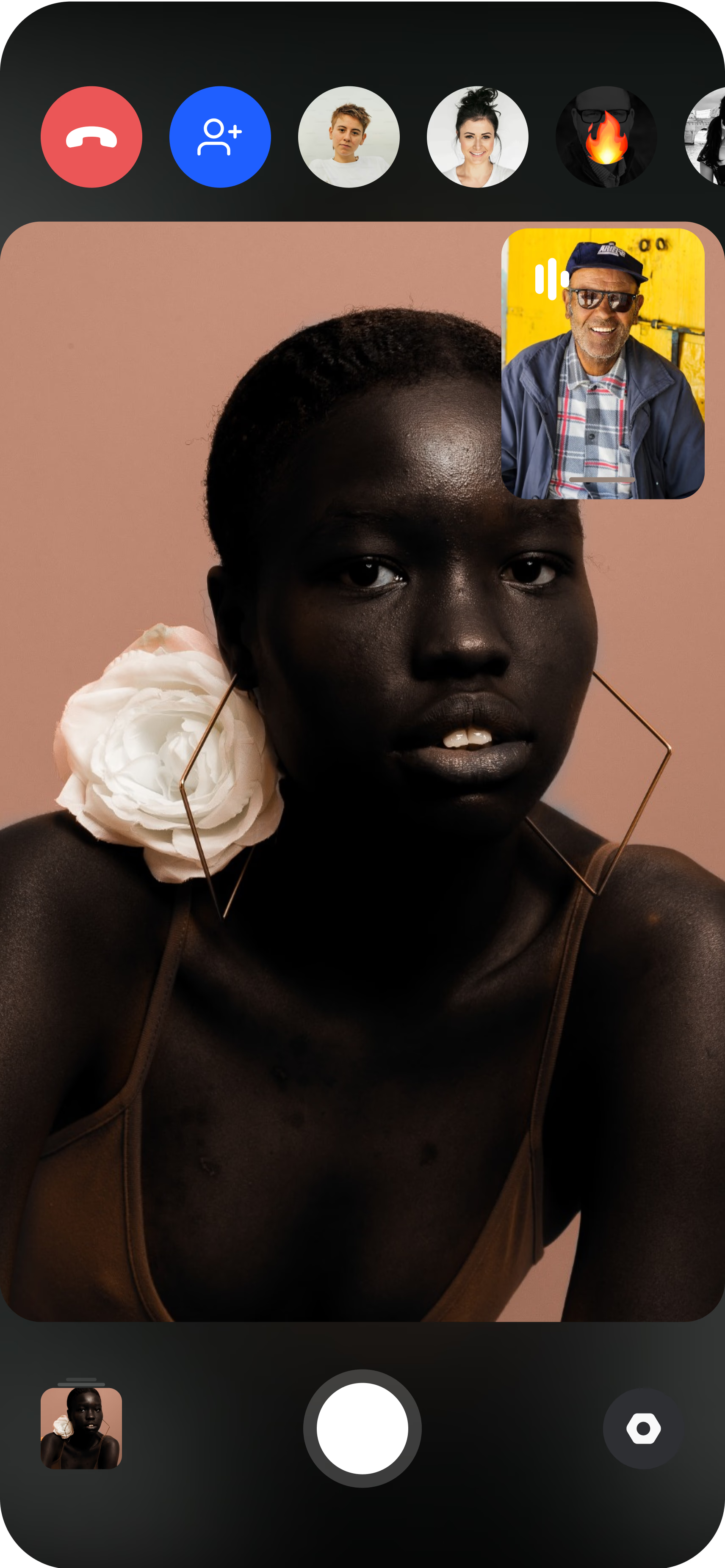
Pair every capture device
Talent and product handlers join from a smartphone on a tripod. The director sees each live feed instantly and can switch between locations.
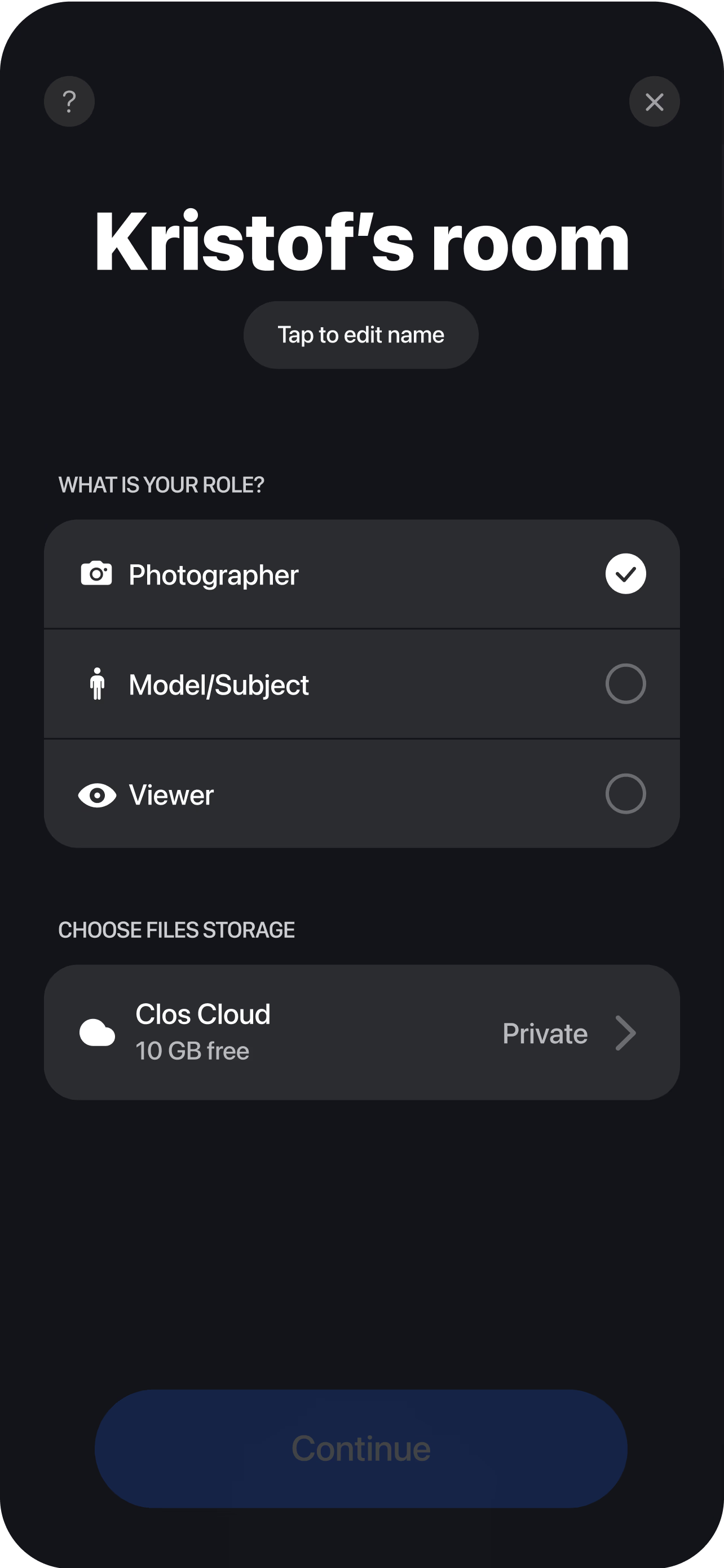
Direct and shoot to brand
Lock focus, set exposure, ISO and white balance to the campaign's look, then trigger captures — every frame lands at full resolution and RAW. Each shot uploads to the campaign dashboard in real time, so the team can review, select and start retouching before the session even wraps.
Why brands and agencies choose CLOS
A campaign lives or dies on consistency and creative control. CLOS is built so art direction holds across every distributed location and every asset.
Why CLOS
- One creative vision, many cities — the director controls the camera so framing and look stay uniform
- RAW for the retouch — full-resolution DNG files feed your grade, compositing and clean-up
- Lower production cost — skip flights, studio rental, travel days and per-diems
- Faster turnaround — assets land in the cloud as you shoot, so post starts immediately
- Client and agency in the room — stakeholders approve shots live instead of waiting for selects
- Scalable casting — shoot more talent in more markets without the logistics of moving a crew
CLOS vs. video calls vs. flying a crew to one studio
| CLOS remote campaign | Zoom / video call | Fly crew to one studio | |
|---|---|---|---|
| Campaign assets | Full-resolution photos & RAW | Low-res screenshots | Full-resolution photos |
| Creative direction remotely | Yes — focus, ISO, shutter, RAW | Talk only, no camera control | On-site only |
| Talent in multiple cities | Native — switch between feeds | Awkward, no real capture | Everyone must travel |
| Production cost | Low — no travel or studio | n/a for campaigns | High — flights, studio, per-diems |
| Time to first usable asset | Minutes | n/a | Days to schedule and travel |
For a closer look, see CLOS vs. Zoom for photoshoots and remote photoshoot vs. AI photoshoot.
Campaign use cases
- Fashion & apparel campaigns — direct editorial talent across markets for a seasonal launch. See remote fashion photoshoots.
- Product hero & lifestyle sets — capture on-brand product imagery alongside lifestyle frames. See remote product photography.
- Creator & influencer campaigns — fold remote creators into the same campaign look and approvals. See remote influencer collaborations.
- Always-on social content — keep producing campaign cutdowns and UGC between hero shoots. See remote UGC campaigns.
What you get on each plan
A remote campaign scales with the production — start free to test the workflow, move to Pro for RAW and more viewers when the brief is live.
| Plan | Best for | Highlights |
|---|---|---|
| Free | Pitching a remote campaign idea | 1 GB cloud, remote photo/video capture, focus & flash control, hi-res, archive download |
| Pro | Live campaign production | 5 GB cloud, RAW / Apple ProRAW, telephoto & ultra-wide, ISO / shutter / WB, up to 6 viewers, non-expiring albums |
| Enterprise | Agencies & brand teams | Dedicated servers, team accounts, personal branding and custom features |
See full pricing for details.
Produce your next brand campaign remotely
Build a campaign room, bring talent and clients together with a link, and start capturing on-brand RAW assets in minutes. Free to start — no credit card required.
Frequently asked questions
What is a remote brand campaign photoshoot? +
How do I run a remote campaign with CLOS? +
Can I keep a consistent look across talent in different cities? +
Do I get RAW files for retouching? +
How much does a remote campaign cost compared to a traditional shoot? +
How is this different from a Zoom call? +
Can the agency and client approve shots during the shoot? +
Can I shoot campaign video as well as stills? +
Related
- Remote fashion photoshoots
Direct editorial talent across cities for a launch.
- Remote product photography
Shoot on-brand product hero and lifestyle images.
- Remote influencer collaborations
Fold creators into the campaign look and approvals.
- Remote UGC campaigns
Keep producing social content between hero shoots.
- Pricing
Free, Pro and Enterprise plans.