Virtual Photoshoot Platform — Remote Camera Control, RAW Capture, Cloud Delivery
Direct a full virtual photoshoot remotely: the model holds a phone, you control the camera. Real framing, real lighting guidance and full-resolution files — without travel or a studio.
Short answer
A virtual photoshoot is a real photo shoot run remotely: the model uses a smartphone as the camera, and the photographer directs and triggers it from anywhere — controlling focus, exposure and RAW capture in real time. CLOS delivers true full-resolution files to the cloud as you shoot, so it produces production-grade images, not video-call screenshots.
Key takeaways
- Full remote camera control — shutter, focus, ISO, shutter speed, white balance and RAW
- Real, full-resolution photos of a real subject — not AI images or a Zoom screenshot
- Files land in the cloud in real time, ready to review the moment you shoot
- Browser-first virtual rooms — clients and talent join with a link, no install
- Works on iOS, Android and the web, anywhere in the world

What is a virtual photoshoot?
A virtual photoshoot is a remote photography session where the photographer and the subject are in different places. The model holds — or props on a tripod — a smartphone, and the photographer connects to it over a virtual room to frame, direct and capture the shot remotely. Unlike a generic video call, a true virtual photoshoot gives the photographer real control of the camera and delivers full-resolution image files, so the output matches a studio session.
CLOS was built for exactly this: a remote photoshoot platform that turns any recent iPhone or Android into a directable, full-resolution camera.
How a virtual photoshoot works
CLOS keeps the workflow close to a real shoot — just without the travel.
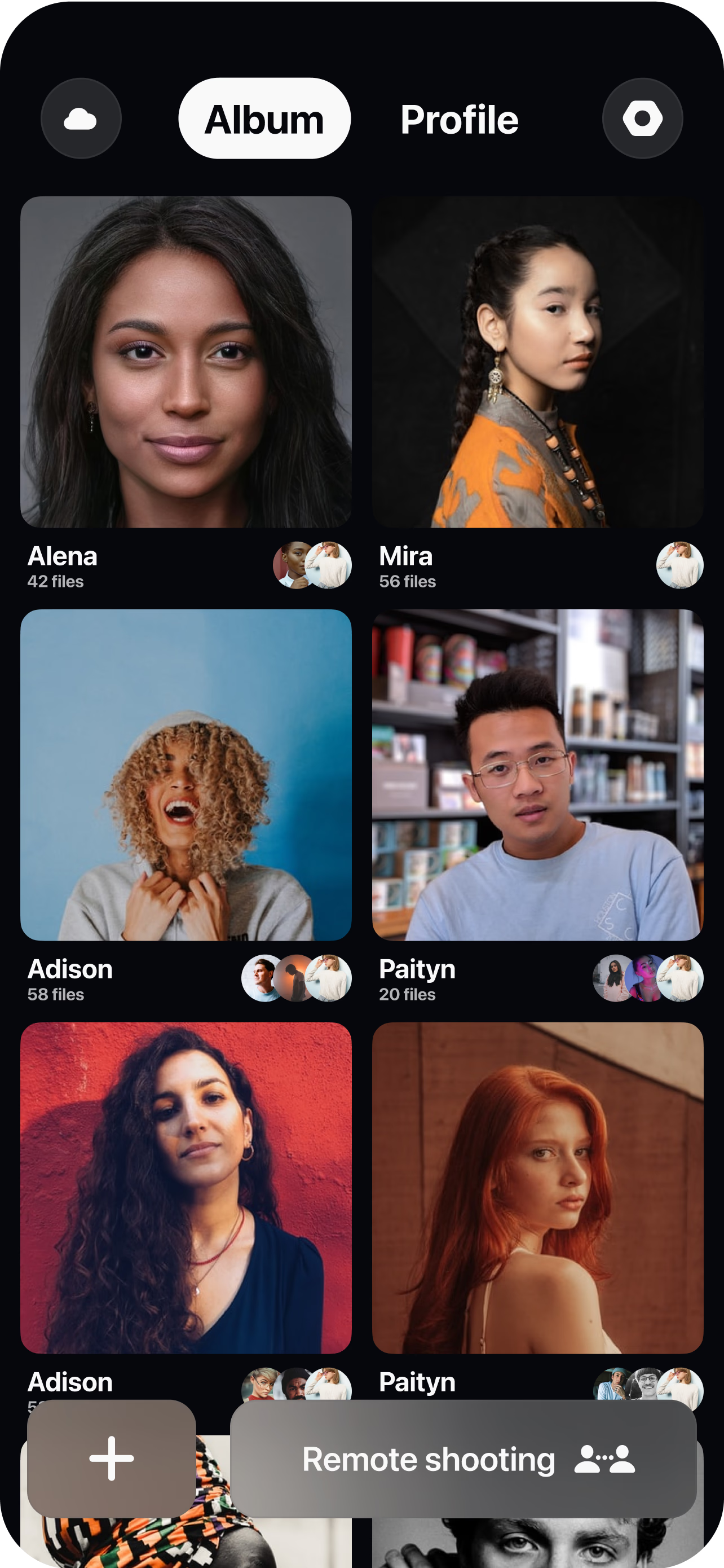
Create a virtual room
Spin up a session in seconds and invite the model, clients and crew with a single link.
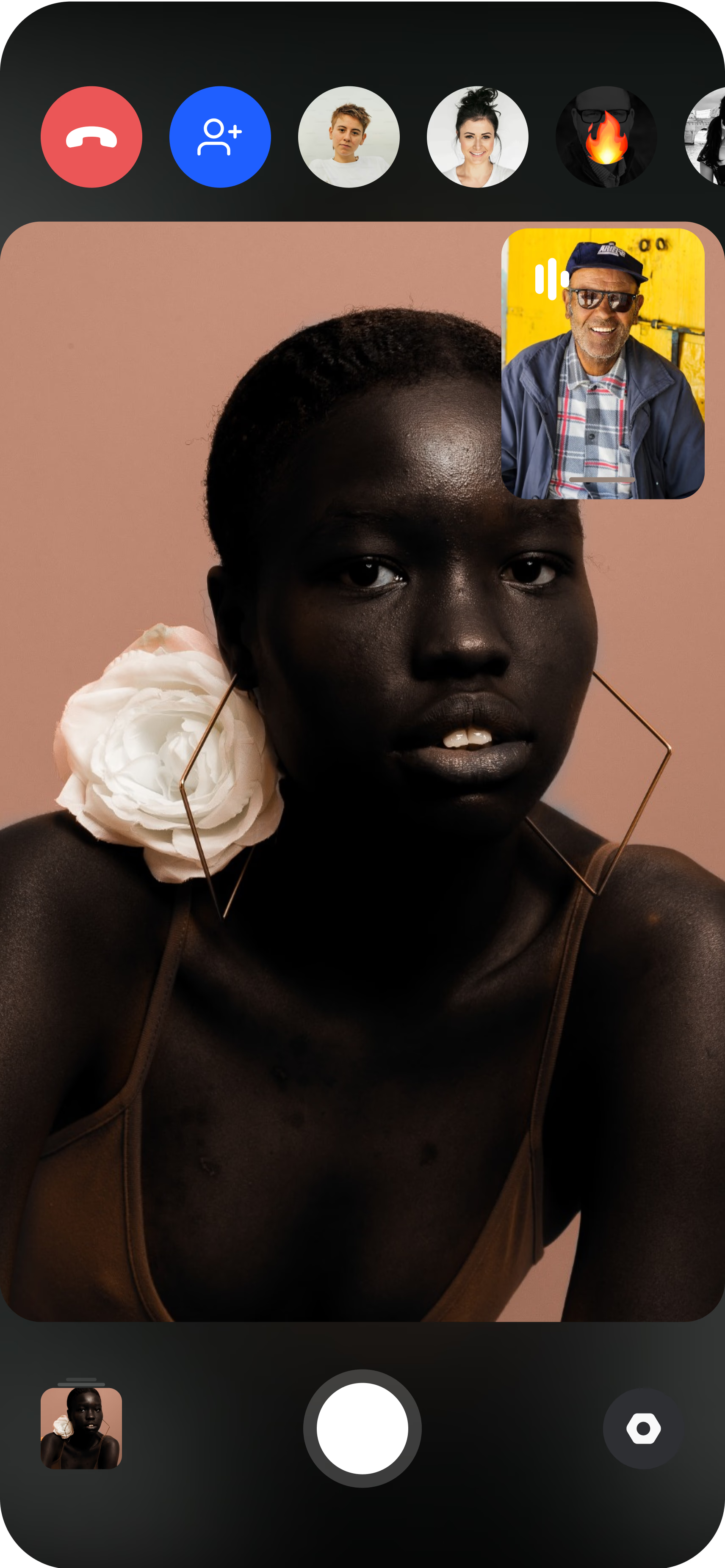
Pair the capture device
The model joins from a smartphone and places the phone on a tripod — you see the live feed instantly.
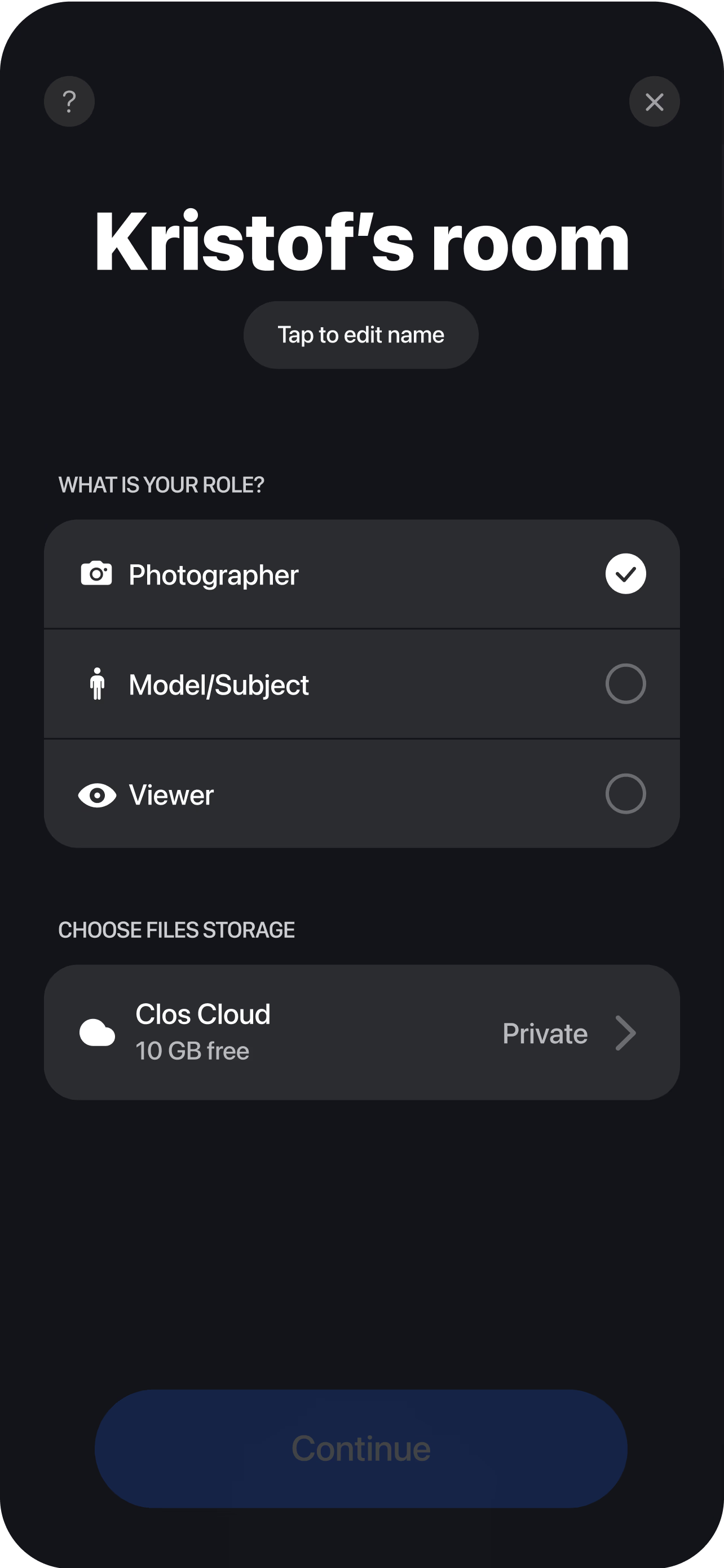
Direct, capture & deliver
Adjust focus, exposure, ISO and white balance, trigger the shutter, and every full-resolution frame lands in your cloud dashboard in real time.
Why photographers and brands choose CLOS
A virtual photoshoot only works if it protects the creative eye. CLOS is built so lighting, framing and direction stay intentional from start to finish.
Why CLOS
- Remote camera control — see the live feed and time every capture yourself
- Production speed — no travel, less setup and fewer scheduling delays
- Cost-effective — produce images for a fraction of a traditional studio shoot
- Purpose-built, not Zoom — a video call is made to talk; CLOS is engineered to shoot
- Brand consistency — portraits, products and headshots that match across your site and decks
- Creative control — lighting, frame and backgrounds stay exactly as you intend
CLOS vs. video calls vs. a traditional studio
| CLOS virtual photoshoot | Zoom / video call | Traditional studio | |
|---|---|---|---|
| Image output | Full-resolution photos & RAW | Low-res screenshots | Full-resolution photos |
| Remote camera control | Yes — focus, ISO, shutter, RAW | No | On-site only |
| Travel & logistics | None | None | Studio, crew, transport |
| Time to first shot | Minutes | n/a | Days to schedule |
| Typical cost | From free | n/a for photography | High |
For a head-to-head, see CLOS vs. Zoom for photoshoots and remote photoshoot vs. AI photoshoot.
Virtual photoshoot use cases
- Product images — shoot e-commerce and catalog photos remotely. See remote product photography.
- Portraits & headshots — capture consistent team portraits from anywhere. See remote corporate headshots.
- Fashion & editorial — direct talent across cities for a campaign. See remote fashion photoshoots.
- Casting — run remote castings and capture reference frames. See virtual casting sessions.
What you get on each plan
A virtual photoshoot scales with you — start free, upgrade when you need RAW and more storage.
| Plan | Best for | Highlights |
|---|---|---|
| Free | Trying a first remote shoot | 1 GB cloud, remote photo/video capture, focus & flash control, hi-res, archive download |
| Pro | Working photographers | 5 GB cloud, RAW / Apple ProRAW, telephoto & ultra-wide, ISO / shutter / WB, up to 6 viewers, non-expiring albums |
| Enterprise | Teams & agencies | Dedicated servers, team accounts, personal branding and custom features |
See full pricing for details.
Run your first virtual photoshoot today
Create a virtual room, invite your model and start shooting in minutes. Free to start — no credit card required.
Frequently asked questions
What is a virtual photoshoot? +
How do I run a virtual photoshoot with CLOS? +
Is CLOS free to use? +
How is a virtual photoshoot different from a Zoom call? +
Can I shoot RAW photos in a virtual photoshoot? +
Can I do a virtual photoshoot for video? +
Do I need to install anything? +
Is my content secure and where are photos stored? +
Related
- Remote product photography
Shoot e-commerce and catalog images remotely.
- Remote corporate headshots
Consistent team portraits from anywhere.
- Remote fashion photoshoots
Direct editorial talent across cities.
- Virtual casting sessions
Run remote castings and capture references.
- CLOS vs. Zoom for photoshoots
Why a video call can't replace a real shoot.
- Pricing
Free, Pro and Enterprise plans.