UGC Product Reviews & Unboxings — Captured Remotely, Built for PDPs and Ads
Have real customers and creators film honest reviews and unboxings on their own phones, while you control framing, focus and exposure remotely. The result: usable, full-resolution review video and photos — not shaky self-shot clips.
Short answer
UGC product reviews are real customers and creators filming honest reactions, demos and unboxings of your product on their own phones. With CLOS you join the session remotely and take control of the camera — framing the shot, locking focus and setting exposure — then capture full-resolution review video and photos that upload to the cloud as you shoot. You get review content that’s genuine and usable on a product page or in an ad, not a blurry self-shot clip.
Key takeaways
- Direct the framing, focus and exposure of every review remotely while the customer just talks and demos
- Capture full-resolution review video and photos ready for PDPs, ads and listings — not compressed phone exports
- Keep reviews authentic and unscripted — real people, real reactions, real homes
- Catch the unboxing moment live and shoot clean product close-ups in the same session
- Files land in the cloud in real time, so editors can cut hooks the moment a review wraps

What are UGC product reviews?
UGC product reviews are user-generated videos and photos in which a real customer or creator reviews, demonstrates or unboxes a product on camera. They convert because they look and feel honest — but most brands struggle to actually use them: the footage arrives vertical when you need horizontal, soft when you need sharp, dim, badly cropped, or exported at a resolution too low for a paid ad.
CLOS fixes the capture problem without sacrificing authenticity. The reviewer films on their own phone in their own space, and you join remotely to control the camera — set the frame, lock focus on the product, adjust exposure and white balance, and trigger full-resolution photo or video yourself. The review stays genuinely theirs; the quality becomes yours to direct.
How remote UGC review capture works
CLOS keeps the reviewer relaxed and natural while you handle everything technical from your desk.
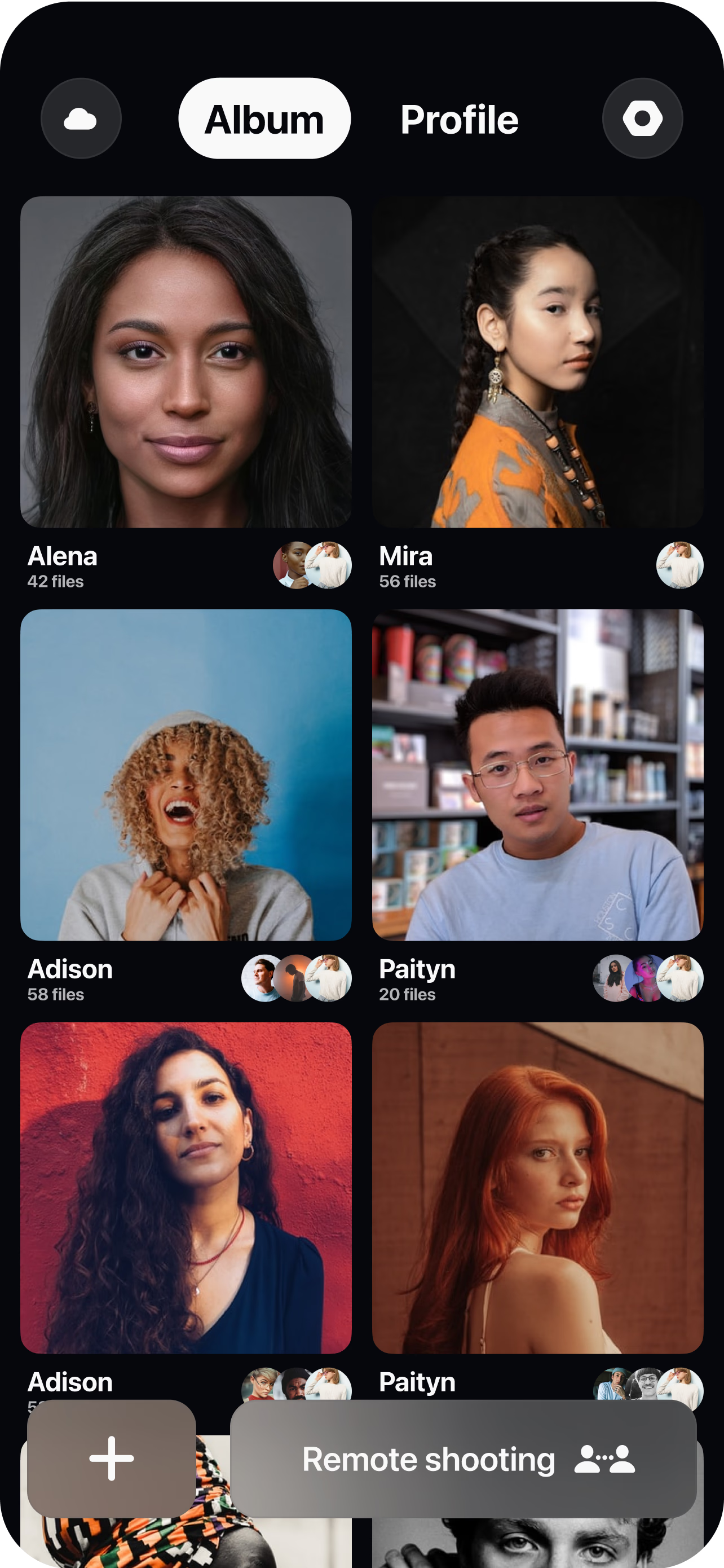
Brief the reviewer and open a room
Share a short prompt — what to unbox, what to demo, what to react to — then send a single link to join. No app-store hunt, no studio booking.
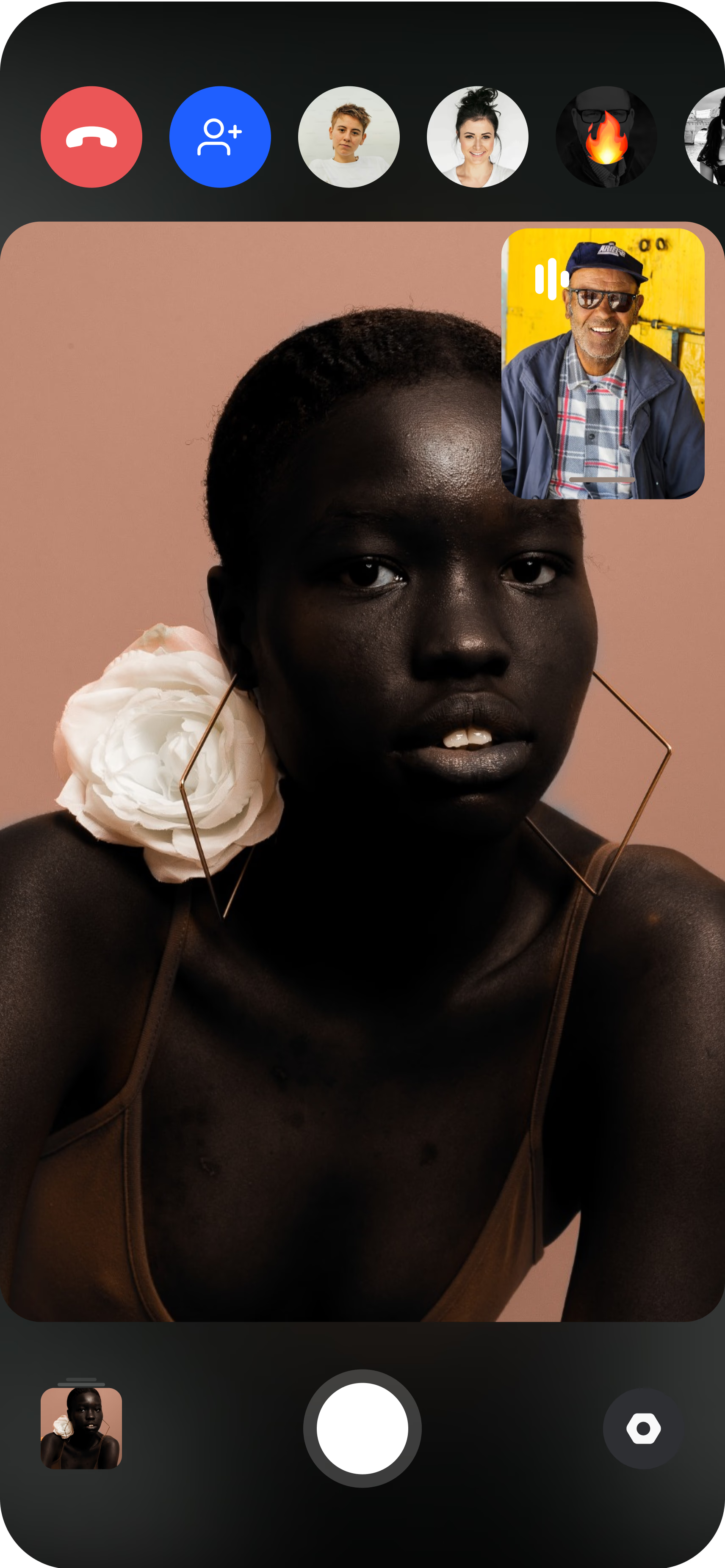
The reviewer joins from their phone
They prop the phone up or hold it, and you instantly see their live camera feed with the product in hand, in their real environment.
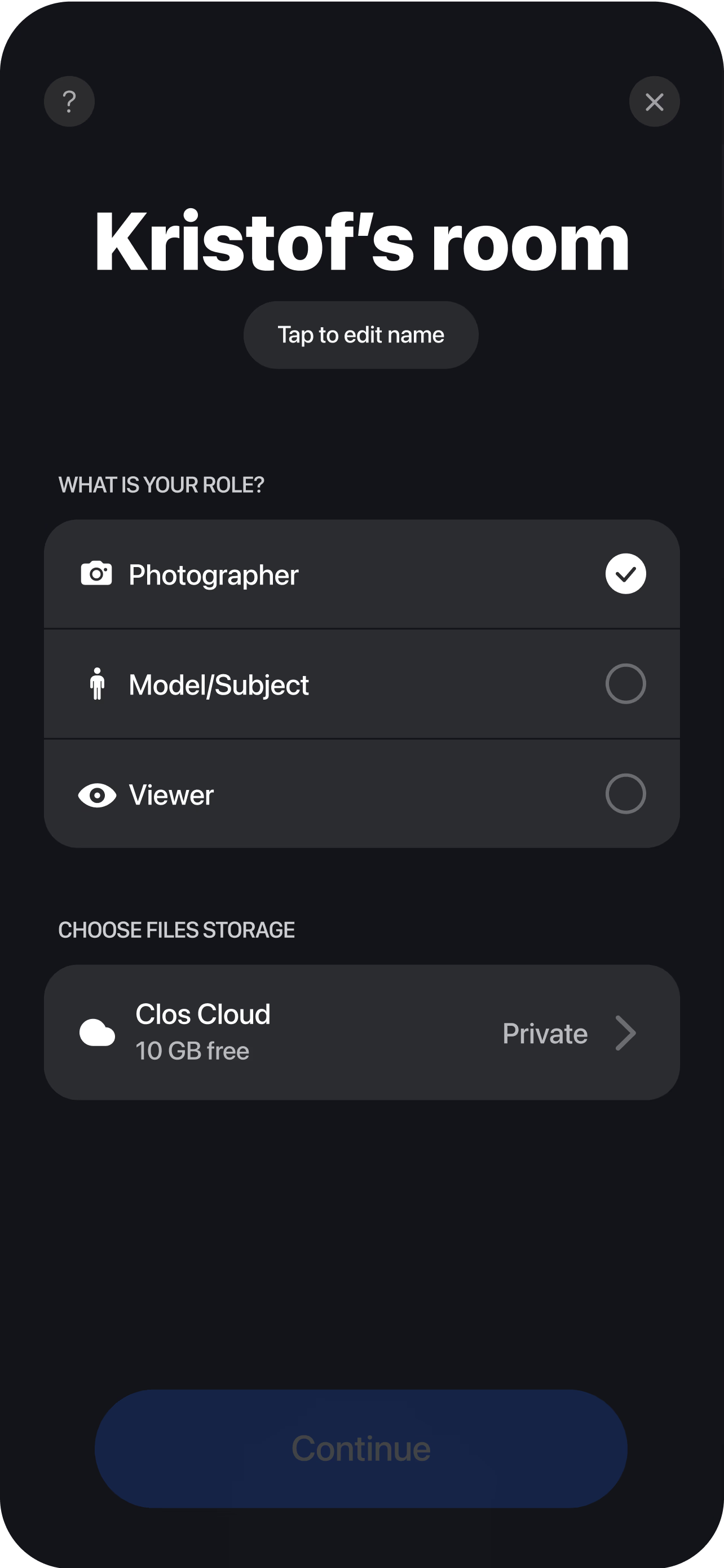
Direct the review and capture the unboxing
Frame the reveal, lock focus on the product, fix the exposure, and roll full-resolution video — then grab sharp photo close-ups of the packaging and details for the listing. Every clip and frame uploads to your dashboard live, so your team can cut review ads, PDP videos and social posts while the next reviewer is still being scheduled.
Why e-commerce brands choose CLOS for review content
Most review content dies in the edit because it was never captured to a usable standard. CLOS moves that control to the moment of filming.
Why CLOS
- Ad- and PDP-ready output — full-resolution video plus RAW/ProRAW stills you can crop to any placement
- You control the camera, they stay natural — no coaching a customer on focus or framing over text
- Unboxing and product photography in one session — review clip and clean detail shots together
- Faster review velocity — go from a customer saying yes to testable creative the same day
- No shipping back and forth — skip return logistics; the product stays with the reviewer
- Built to shoot, not to call — purpose-made remote capture, not a screen-grabbed video chat
Remote review capture vs. self-shot UGC vs. studio review shoot
| CLOS remote review | Self-shot by customer | In-studio review shoot | |
|---|---|---|---|
| Framing & focus control | You direct it live | Whatever they manage | Full but on-site |
| Output quality | Full-res video & RAW stills | Compressed phone export | Full resolution |
| Authenticity | High — real reviewer at home | High — but often unusable | Lower — feels staged |
| Unboxing moment | Captured clean, live | Usually missed or reshot | Hard to fake naturally |
| Time to usable asset | Same day | Days of back-and-forth | Days to schedule |
| Logistics | A link | Endless reshoot requests | Studio, travel, product shipping |
For a closer look, see remote photoshoot vs. AI photoshoot and CLOS vs. Zoom for photoshoots.
UGC product review use cases
- Unboxing videos — capture the first-impression reveal cleanly for ads and PDPs. Pair with remote product photography for detail shots.
- Demo & how-to reviews — direct a customer showing the product in use, in their real setting.
- Review content at scale — run reviews across a whole roster of creators. See remote UGC campaigns.
- Customer testimonials — turn a happy reviewer into a story-driven testimonial. See remote UGC testimonials.
What you get on each plan
Review content scales with you — start free to prove the format, then upgrade for RAW stills, video and the storage a steady review pipeline needs.
| Plan | Best for | Highlights |
|---|---|---|
| Free | Capturing a first review | 1 GB cloud, remote photo/video capture, focus & flash control, hi-res, archive download |
| Pro | Always-on review creative | 5 GB cloud, RAW / Apple ProRAW, telephoto & ultra-wide, ISO / shutter / WB, up to 6 viewers, non-expiring albums |
| Enterprise | Brand & agency review programs | Dedicated servers, team accounts, personal branding and custom features for high-volume review capture |
See full pricing for details.
Capture review content your customers actually want to film
Send a reviewer a link, direct their camera remotely and pull full-resolution unboxing video the same day. Free to start — no credit card required.
Frequently asked questions
What are UGC product reviews? +
How do I capture a product review remotely with CLOS? +
How is this different from a customer just filming their own review? +
Can I capture the unboxing moment and product close-ups in the same session? +
Is the review content high enough resolution for ads and PDPs? +
What does it cost to produce review content this way? +
Can I run product reviews across lots of creators? +
Do reviewers need to install anything? +
Related
- Remote UGC campaigns
Run authentic creator content at scale for ads.
- Remote product photography
Capture catalog-grade product stills remotely.
- Remote UGC testimonials
Turn happy reviewers into story-driven testimonials.
- Remote influencer collaborations
Direct paid and gifted creators across markets.
- Remote vs. AI photoshoot
Why real review content beats generated images.
- Pricing
Free, Pro and Enterprise plans.