Virtual Casting Sessions — Live Remote Auditions With Real Camera Control
Run a live online casting call where you direct actors, models and brand talent from anywhere. Control the camera in real time and capture consistent, full-resolution audition frames — not a laggy screen recording.
Short answer
A virtual casting session is a live remote audition where the casting director joins talent through a shared room and directs them in real time. With CLOS you control the camera on the talent’s phone — focus, framing and exposure — and capture clean, full-resolution reference frames and audition video on demand. Every candidate is shot the same way, so you compare like for like instead of guessing from a compressed video stream.
Key takeaways
- Direct talent live — give blocking, line and pose notes as you would in the room
- See and control the camera in real time — focus, framing and exposure, not a fixed webcam
- Capture consistent, full-resolution audition frames and video on demand
- Compare candidates side by side with identical, studio-clean captures
- Talent joins from any iPhone or Android with a link — no studio, no travel

What is a virtual casting session?
A virtual casting session is a live remote audition: instead of bringing actors, models or brand talent into a casting suite, you run the read or pose over a shared room while everyone stays where they are. The difference between a real virtual casting and a video call is control. In CLOS the casting director sees the talent’s phone camera and adjusts focus and framing, then captures full-resolution reference frames and audition video at the exact moment a take lands — so the output is usable selects, not blurry screenshots.
This makes CLOS a fit for the whole casting pipeline: commercial and film acting, modeling, and brand or campaign talent. It complements modeling agency casting, which focuses on scouting and capturing model digitals; this page is about the live session and audition mechanics themselves.
How a virtual casting session works
CLOS keeps a remote audition as close to an in-person callback as possible.
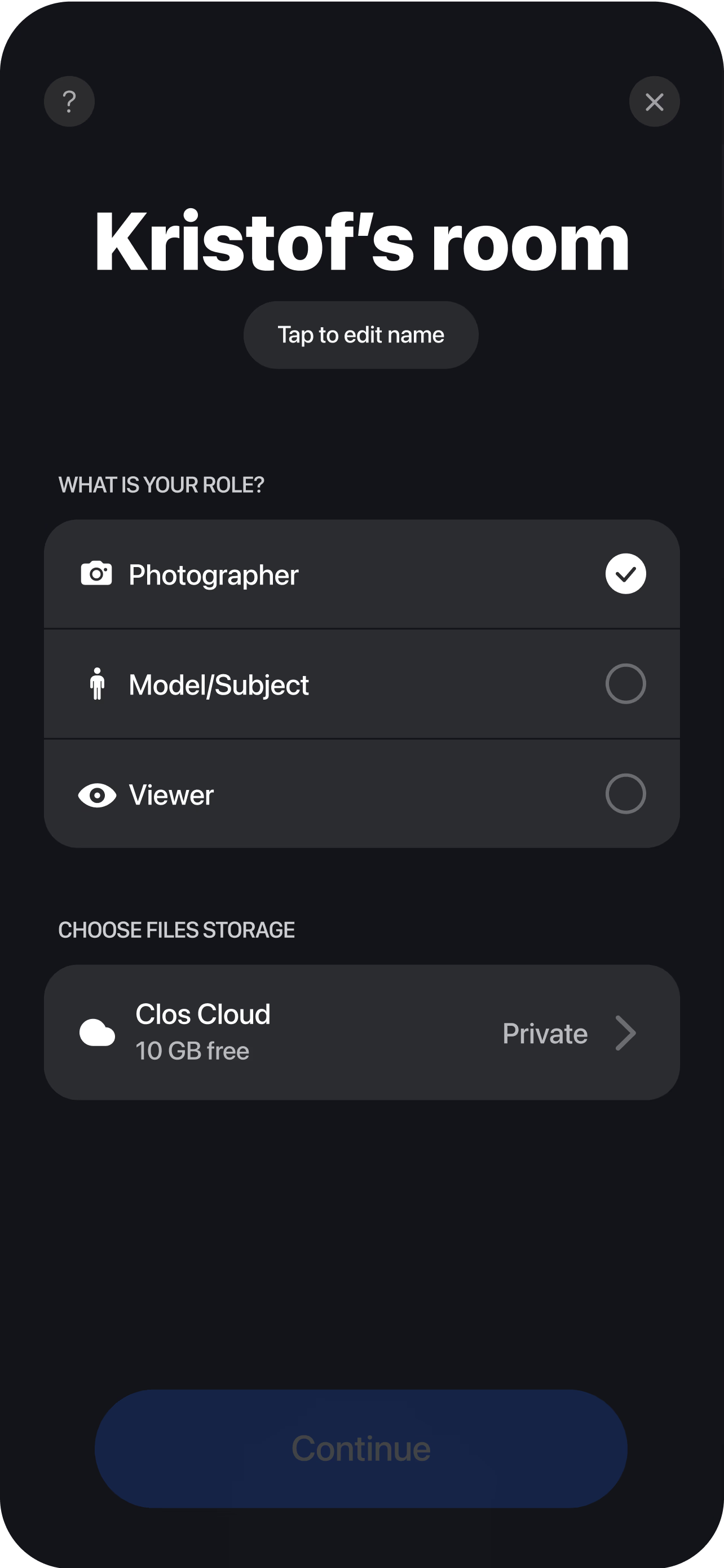
Open a casting room
Create a session and send talent, agents and clients a single link — no app install for anyone watching.
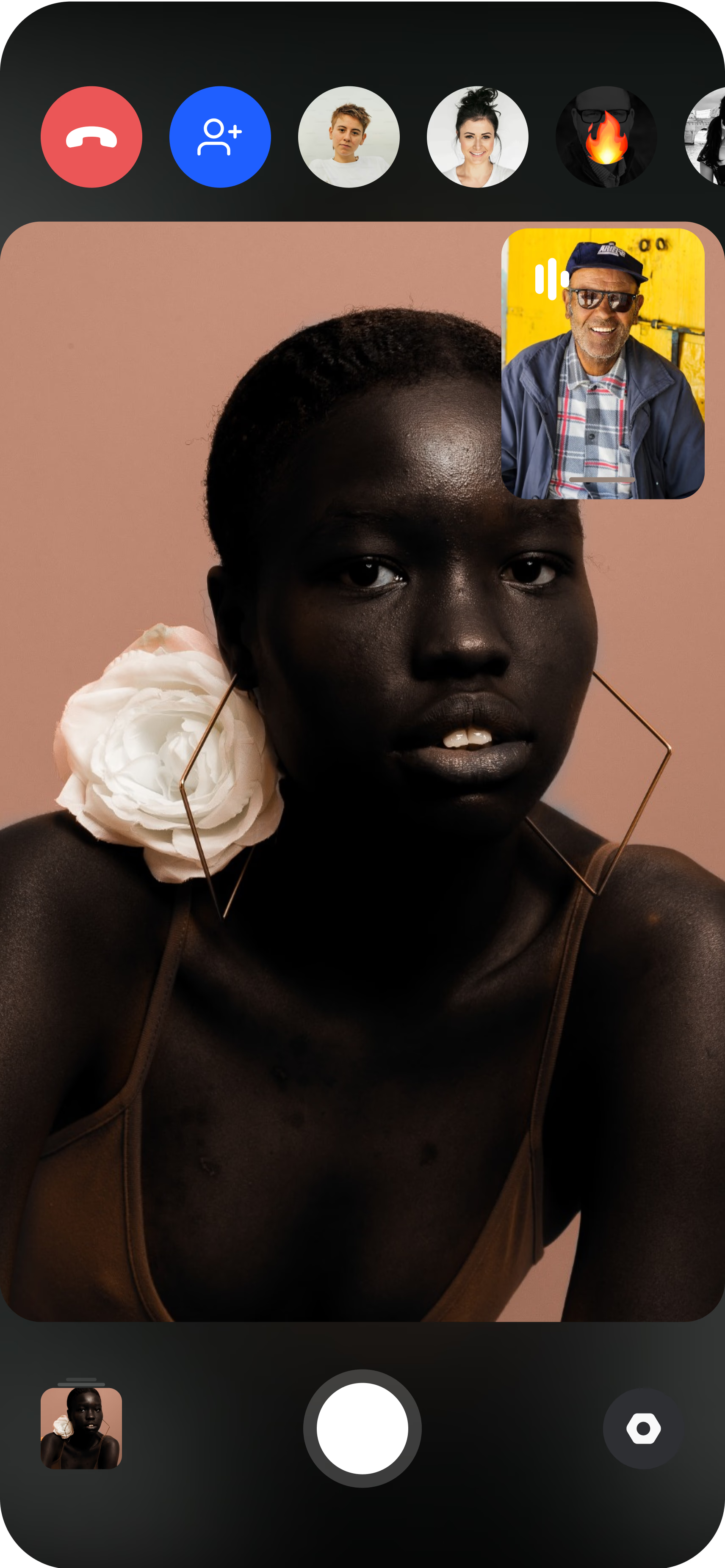
Bring the talent's camera online
The actor or model joins from a phone and props it on a stand. You see their live feed and can frame the shot.
Direct and capture on demand
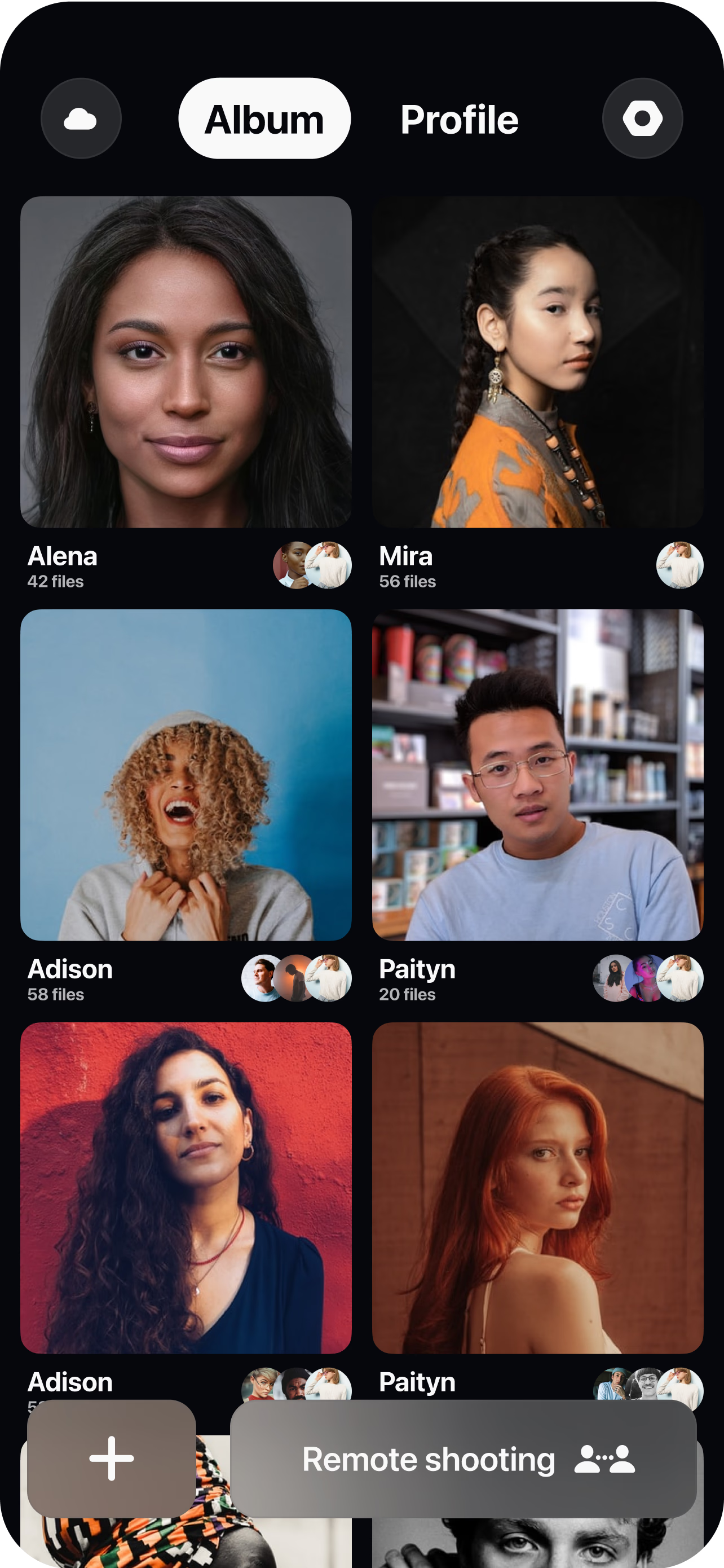
Give notes, run the read, then set focus and exposure and capture full-resolution frames or roll audition video the instant a take works. Every capture lands in your dashboard in real time, so you can shortlist talent and share selects with clients the moment the session wraps.
Why casting directors choose CLOS
A casting decision is only as good as what you can actually see. CLOS makes remote auditions decision-grade.
Why CLOS
- Real direction — adjust the camera and coach talent live, not after the fact
- Apples-to-apples — identical framing and quality across every candidate
- Faster shortlists — selects land in the cloud as you cast, ready to share
- Wider talent pool — audition actors and models in any city without flights
- Built to capture — a casting tool, not a meeting app squeezed into a callback
- Client-ready selects — full-resolution frames and audition video, not screenshots
Virtual casting vs. self-tapes vs. in-person callbacks
| CLOS virtual casting | Self-tape submissions | In-person callback | |
|---|---|---|---|
| Live direction | Yes — coach talent in real time | No — pre-recorded | Yes |
| Camera control | Yes — casting director frames & focuses | Talent's own setup | On-site only |
| Capture quality | Full-resolution frames & video | Varies by submitter | Full quality |
| Candidate consistency | Identical for every talent | Inconsistent | Consistent |
| Travel & scheduling | None | None | Flights, studio, slots |
| Time to shortlist | During the session | After collecting tapes | Days |
For more on remote workflows, see CLOS vs. Zoom for photoshoots and the best remote photoshoot apps.
Virtual casting use cases
- Acting auditions — run live reads and callbacks for film, TV and commercials with talent anywhere.
- Model casting & digitals — combine a live session with clean reference frames. See modeling agency casting.
- Brand & campaign talent — cast faces for a shoot, then book the virtual photoshoot with the same room.
- Spokesperson & UGC casting — screen talent on camera before a video brief. See remote video interviews.
What you get on each plan
A virtual casting session scales with you — start free, upgrade as your slate grows.
| Plan | Best for | Highlights |
|---|---|---|
| Free | A first remote audition | 1 GB cloud, remote photo/video capture, focus & flash control, hi-res, archive download |
| Pro | Working casting directors | 5 GB cloud, RAW / Apple ProRAW, telephoto & ultra-wide, ISO / shutter / WB, up to 6 viewers, non-expiring albums |
| Enterprise | Agencies & production teams | Dedicated servers, team accounts, personal branding and custom features |
See full pricing for details.
Run your next virtual casting session live
Open a casting room, invite your talent and start directing remote auditions in minutes. Free to start — no credit card required.
Frequently asked questions
What is a virtual casting session? +
How do I run a remote audition with CLOS? +
How is virtual casting different from collecting self-tapes? +
Can I cast actors and brand talent, not just models? +
Can I capture audition video as well as stills? +
Is CLOS free for virtual casting? +
Do talent and clients need to install anything? +
How is the audition footage stored and secured? +
Related
- Modeling agency casting
Scout talent and capture clean model digitals remotely.
- Virtual photoshoot platform
Turn cast talent into a full remote shoot.
- Remote video interviews
Screen spokespeople and creators on camera.
- Best remote photoshoot apps
How CLOS compares to the alternatives.
- Pricing
Free, Pro and Enterprise plans.