Remote Influencer Collaborations — Direct Creator Content That Stays On-Brand
Stop accepting whatever a creator shoots solo. Brief and direct their camera remotely to capture consistent, full-resolution influencer collaboration content — photo and video — from anywhere.
Short answer
A remote influencer collaboration is a creator shoot you art-direct from afar: the influencer holds their phone, and your team frames, lights and triggers the camera remotely. Instead of waiting to see whatever the creator films alone, you direct each shot live and pull full-resolution photo and video collab assets straight to a cloud dashboard — on-brand and ready to use.
Key takeaways
- Direct the creator's camera in real time — framing, focus, exposure and product placement stay on-brand
- Capture full-resolution photo and video, not compressed exports or screen recordings
- Brief once, then steer every take live instead of sending notes after the fact
- Assets land in a cloud dashboard instantly for fast review and approvals
- Works with any creator on iOS, Android or web — no travel, no shipping a crew
What are remote influencer collaborations?
Remote influencer collaborations are creator partnerships where your team art-directs the shoot without being in the room. The creator uses their smartphone as the camera; your social or campaign lead connects to it through a virtual room to set the frame, guide the lighting, place the product and trigger the capture. The difference from a normal sponsored post is control: instead of briefing a creator and hoping their solo footage lands, you direct the camera yourself and capture branded content remotely at full quality.
CLOS makes this possible by turning the creator’s iPhone or Android into a directable, full-resolution camera you operate from anywhere in the world.
How remote creator direction works
CLOS keeps the collaboration as hands-on as an in-person shoot — minus the travel and the back-and-forth of revision rounds.
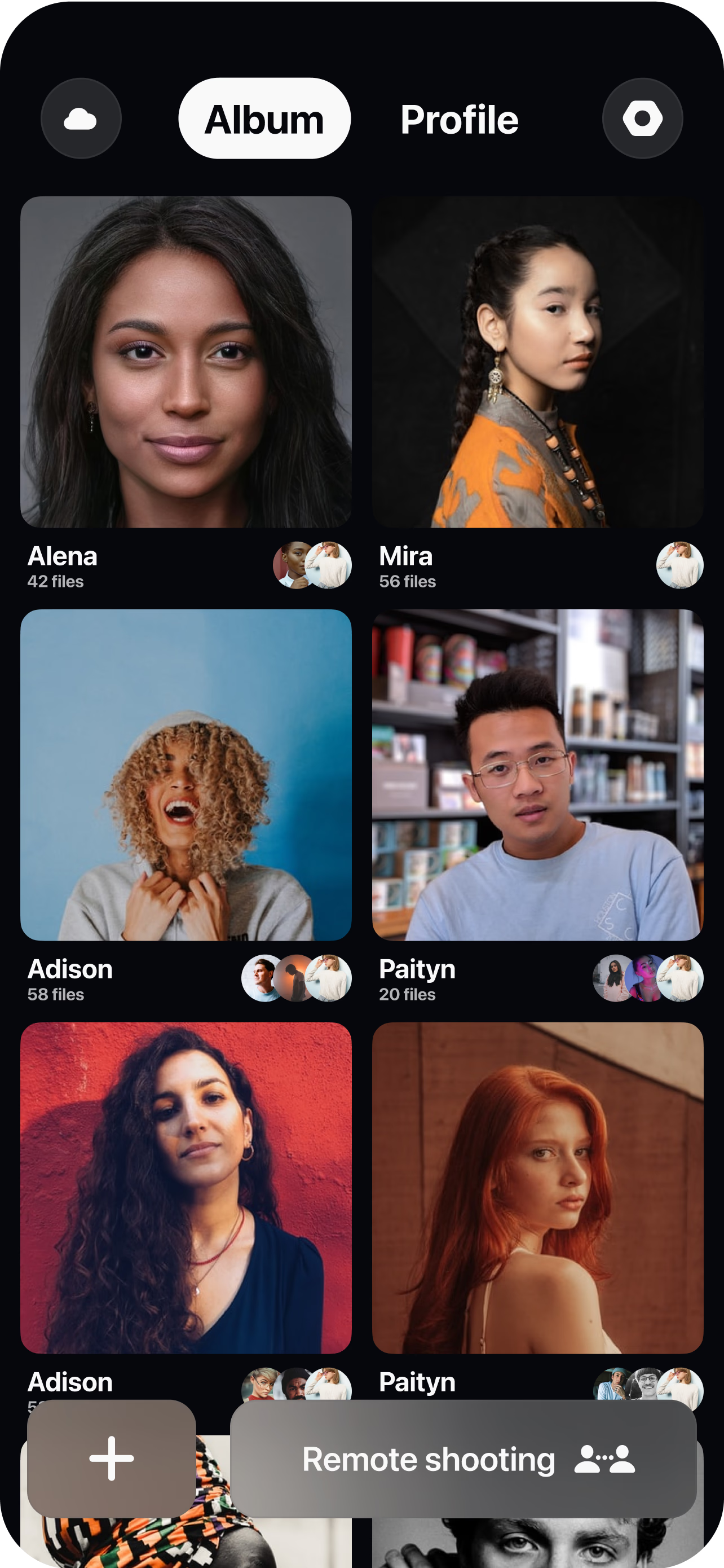
Brief and open a room
Share the campaign brief, then spin up a virtual room and send the creator a single join link.
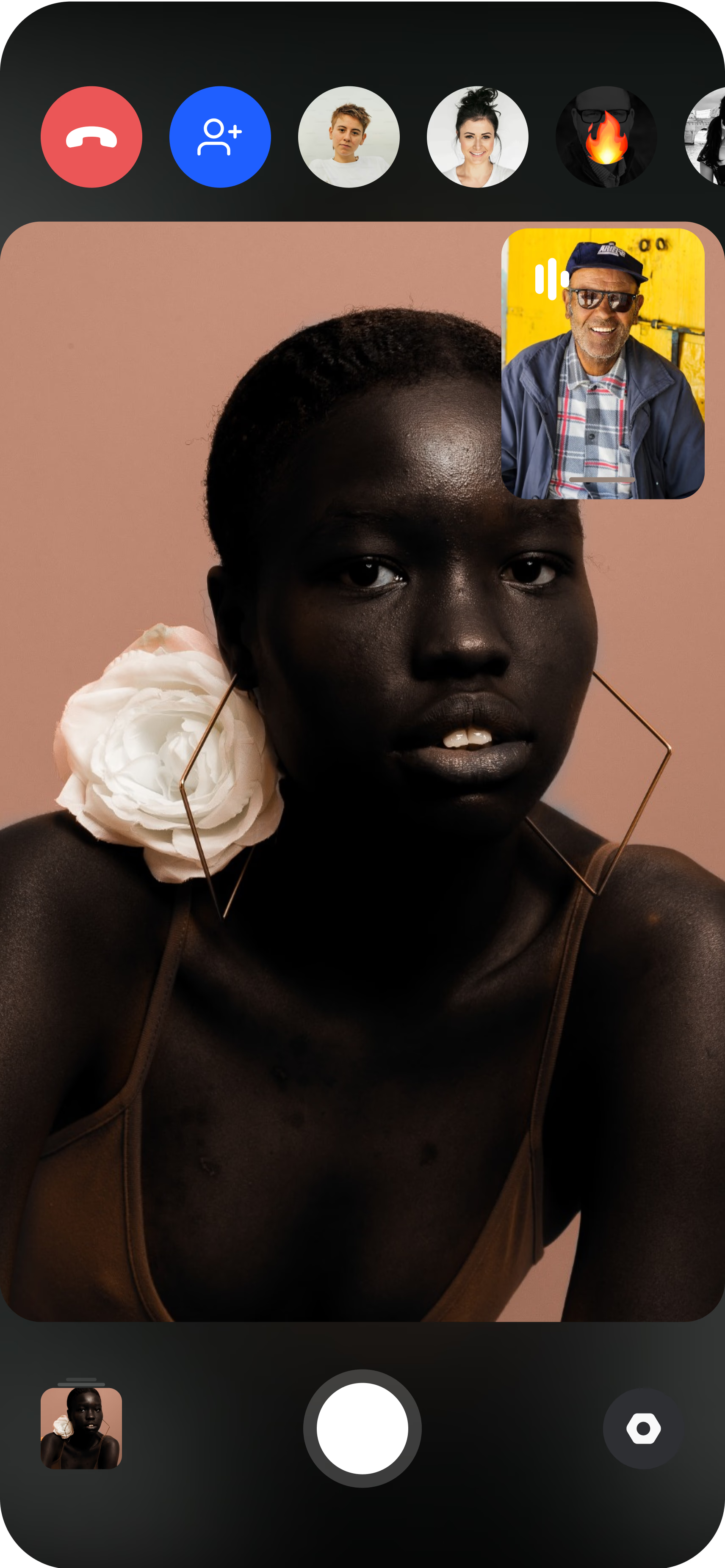
Pair the creator's phone
The influencer joins from their own smartphone and props it on a tripod or stand. You get the live camera feed immediately.
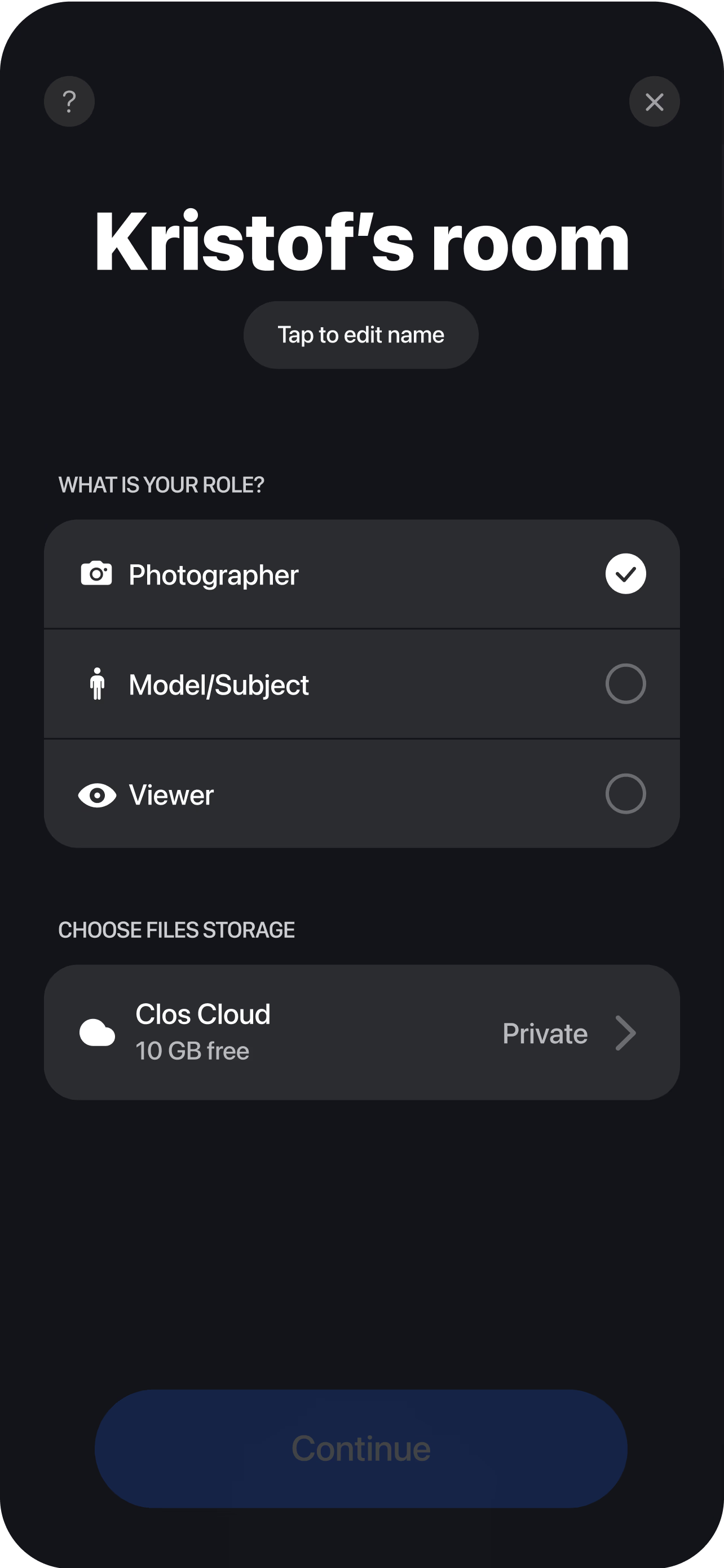
Direct the camera live
Set framing, focus, exposure and white balance, guide product placement and posing, then trigger photo or start video — every asset captured at full resolution. Each shot and clip uploads to your dashboard in real time, so stakeholders can review, shortlist and approve while the session is still live.
Why brands and agencies choose CLOS
Influencer collaboration content only works when it stays on-brand. CLOS keeps art direction in your hands so framing, lighting and product placement are consistent across every creator and every campaign.
Why CLOS
- On-brand by direction — you set the frame and lighting instead of hoping for it
- Consistency across creators — the same look whether you work with one influencer or twenty
- Full-resolution files — usable for paid ads, not just an in-feed story
- Fewer revision rounds — fix the shot live rather than re-briefing after delivery
- Photo and video together — capture stills and motion in one remote session
- Faster approvals — clients watch and sign off from the same cloud room
CLOS vs. solo creator content vs. a video call
| CLOS remote collaboration | Creator shoots solo | Zoom / video call | |
|---|---|---|---|
| Art direction | Live, you control the camera | After-the-fact notes | Verbal only |
| Asset quality | Full-resolution photo & video | Varies by creator export | Low-res screenshots |
| On-brand consistency | High — same framing every creator | Inconsistent | n/a |
| Revision rounds | Fixed live on set | Multiple re-shoots | n/a |
| Usable for paid ads | Yes | Sometimes | No |
For a closer look, see CLOS vs. Zoom for photoshoots and the best remote photoshoot apps.
Influencer collaboration use cases
- UGC campaigns — direct a roster of creators to a single creative standard. See remote UGC campaigns.
- Brand campaign shoots — capture flagship campaign assets with talent in another city. See remote brand campaign photoshoots.
- Product-led collabs — keep product placement and styling consistent across partners. See remote product photography.
- Creator testimonials — capture authentic, on-brand creator endorsements. See remote UGC testimonials.
What you get on each plan
Influencer collaborations scale from a single creator to a full campaign roster — start free, upgrade when you need RAW, more storage and more viewers.
| Plan | Best for | Highlights |
|---|---|---|
| Free | A first creator collab | 1 GB cloud, remote photo/video capture, focus & flash control, hi-res, archive download |
| Pro | Working social teams | 5 GB cloud, RAW / Apple ProRAW, telephoto & ultra-wide, ISO / shutter / WB, up to 6 viewers, non-expiring albums |
| Enterprise | Brands & creator agencies | Dedicated servers, team accounts, personal branding and custom features |
See full pricing for details.
Run your next influencer collaboration on-brand
Open a virtual room, invite a creator and direct the shoot in minutes. Free to start — no credit card required.
Frequently asked questions
What is a remote influencer collaboration? +
How do I direct an influencer's content remotely with CLOS? +
How is this different from a creator just shooting solo? +
What asset quality and formats do I get? +
Is CLOS free to use for influencer collaborations? +
Can I run a collaboration with several creators at once? +
Why not just use a video call to direct the creator? +
Is creator content secure and where is it stored? +
Related
- Remote UGC campaigns
Direct a roster of creators to one creative standard.
- Remote brand campaign photoshoots
Capture flagship campaign assets with remote talent.
- Remote product photography
Keep product placement consistent across partners.
- Remote UGC testimonials
On-brand creator endorsements, directed remotely.
- Best remote photoshoot apps
How CLOS compares to other remote options.
- Pricing
Free, Pro and Enterprise plans.