Remote Video Shoot — Direct, Capture and Deliver Full-Resolution Video Remotely
Shoot video remotely without a crew on location. The subject holds a phone, you control the camera, and clean footage lands in your cloud dashboard — ready for ads, social and b-roll.
Short answer
A remote video shoot is a real video production run from a distance: the subject holds or props up a smartphone, and the director controls framing, focus and exposure remotely while capturing full-resolution footage. CLOS records on the device and delivers clean files to a cloud dashboard — so you get usable footage for ads, social and b-roll, not a compressed screen recording of a video call.
Key takeaways
- Direct framing, focus and exposure on the subject's phone from anywhere in the world
- Capture full-resolution video recorded on-device — not a downscaled video-call stream
- Footage is delivered to a cloud dashboard, ready to review and download
- Run shoots in browser-first rooms — clients and talent join with a link, no install
- One workflow for ads, social clips, b-roll, interviews and testimonials

What is a remote video shoot?
A remote video shoot is a video production where the director and the subject are in different locations. Instead of sending a crew, you connect to the camera on the subject’s phone over a virtual room and direct the take in real time — setting the frame, locking focus, adjusting exposure and rolling when the moment is right. The footage records at full resolution on the device, so the result is broadcast-usable rather than the soft, stuttering capture you get from a screen grab.
This is the broad way to think about remote video production with CLOS: one platform that turns any recent iPhone or Android into a directable camera, then hands you clean files in the cloud. From there you can branch into more specific formats like remote video interviews and remote video testimonials.
How a remote video shoot works
CLOS keeps the rhythm of an on-set shoot — direction, monitoring and capture — without putting anyone on a plane.
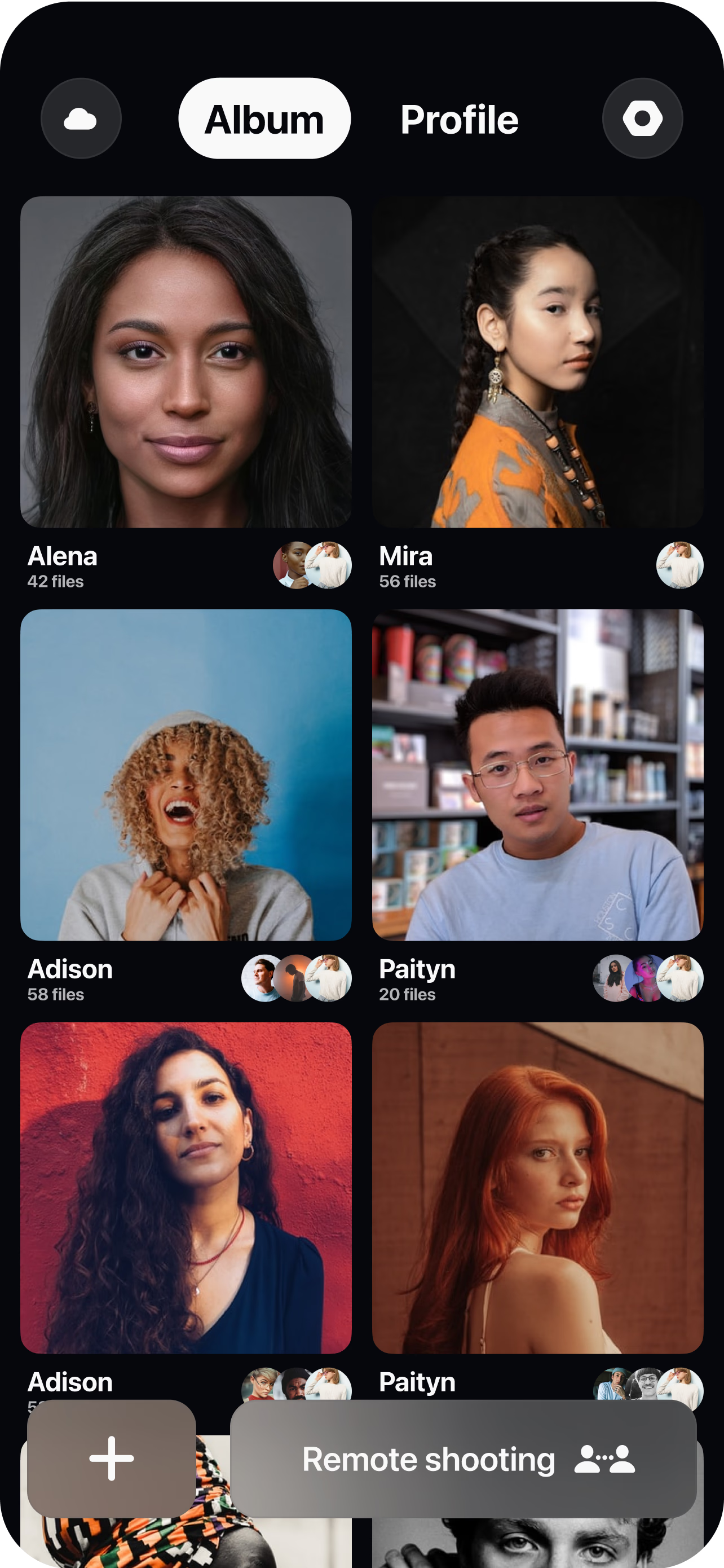
Open a virtual room
Create a session in seconds and invite the subject, the client and your team with a single link.
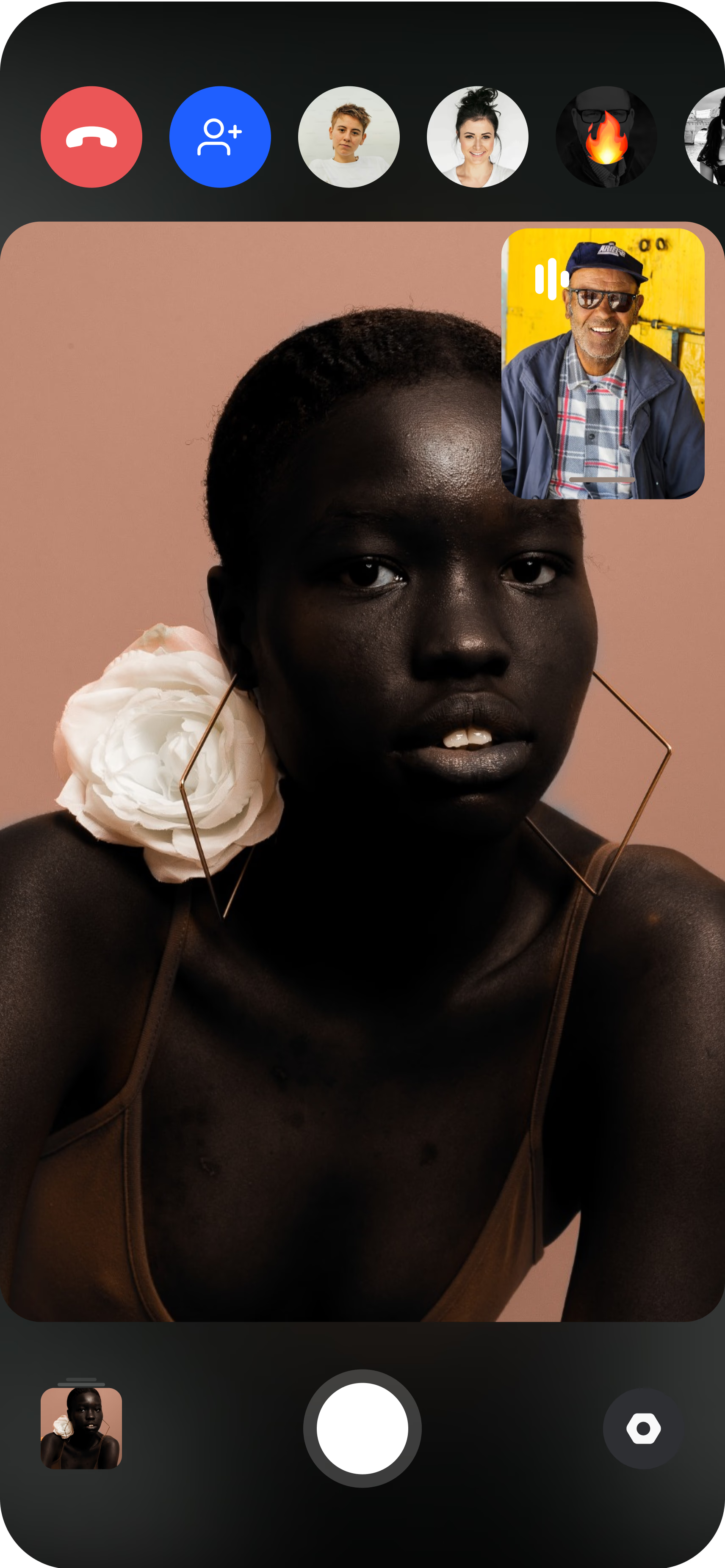
Pair the camera
The subject joins from a smartphone and stands it on a tripod or holds it; you get a live preview of exactly what the lens sees.
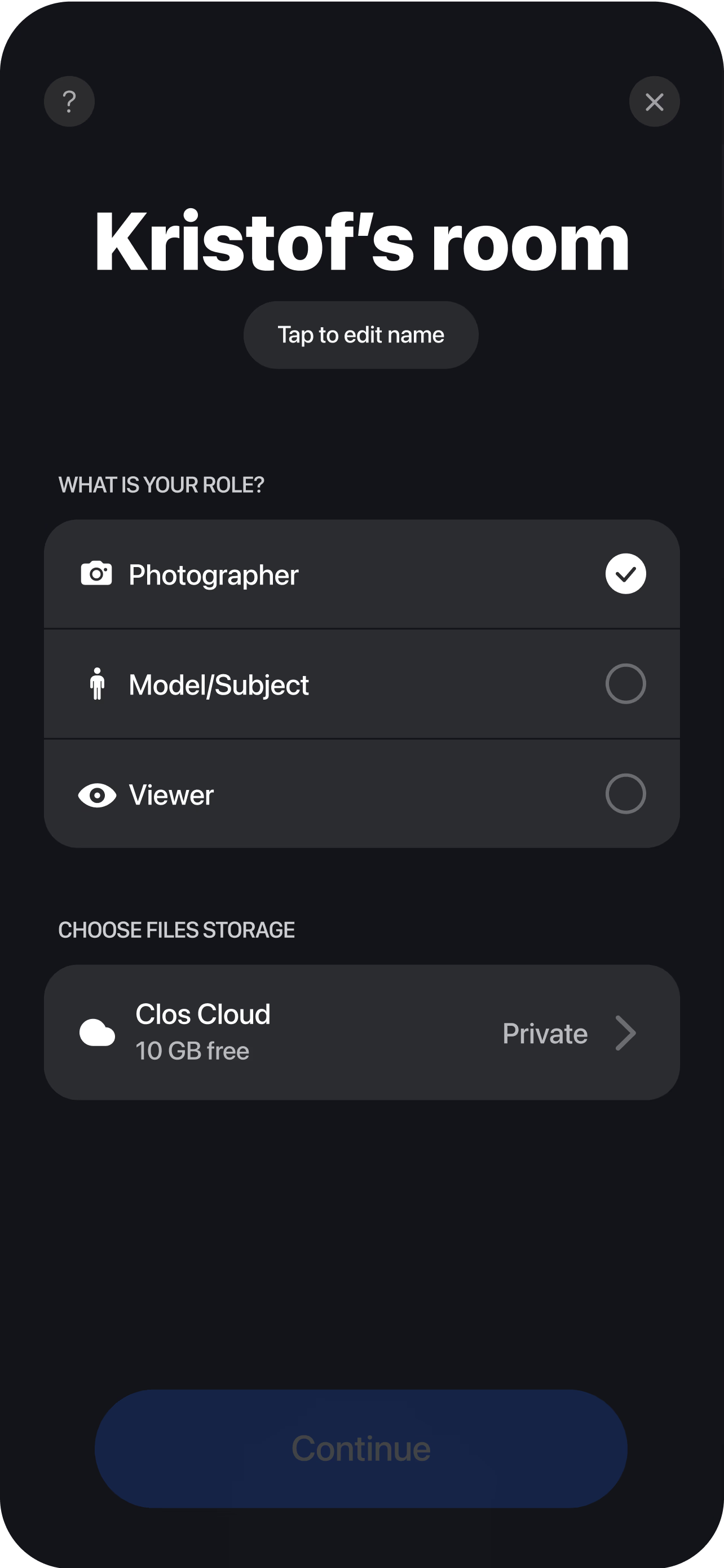
Direct and roll
Set the frame, lock focus and dial exposure, then start and stop recording remotely while you guide performance and movement. Each clip uploads to your dashboard, ready to review, organize and download the moment the take is done — no shipping cards.
Why teams choose CLOS for remote video
Remote video only earns a place in your pipeline if the footage is genuinely usable and the director stays in control. CLOS is engineered for both.
Why CLOS
- Real camera control — frame, focus and exposure set remotely, not left to the subject
- Usable footage — full-resolution video recorded on-device, not a compressed call feed
- Faster turnaround — no travel days, no crew logistics, footage ready as you shoot
- Lower cost per shoot — produce video for a fraction of a location production
- Scales across markets — direct subjects in any city or country from one room
- Built to shoot, not to talk — a meeting app records the call; CLOS records the take
Remote video shoot vs. a video call vs. an on-location crew
| CLOS remote video shoot | Zoom / video call | On-location crew | |
|---|---|---|---|
| Video output | Full-resolution, on-device footage | Compressed screen recording | Full-resolution footage |
| Remote camera control | Yes — frame, focus, exposure, roll | No | On-site only |
| Travel & logistics | None | None | Crew, gear, transport |
| Time to first take | Minutes | n/a | Days to schedule |
| Reach across locations | Anywhere with a phone | Anywhere (low quality) | Limited by travel |
| Typical cost | From free | n/a for production | High |
For a deeper look, see CLOS vs. Zoom for shoots and the best remote photoshoot apps.
Remote video shoot use cases
- Ads & social clips — capture short-form video of real people for paid and organic. Pair it with remote UGC campaigns.
- Interviews — record talking-head and expert footage across cities. See remote video interviews.
- Testimonials — gather authentic customer stories on camera. See remote video testimonials.
- Case studies — film customers on location remotely. See remote customer case studies.
- Stills + motion — shoot photos in the same session. See virtual photoshoot.
What you get on each plan
A remote video shoot scales with you — start free, upgrade when you need higher quality, more storage and bigger rooms.
| Plan | Best for | Highlights |
|---|---|---|
| Free | A first remote shoot | 1 GB cloud, remote photo & video capture, focus & flash control, hi-res, archive download |
| Pro | Working producers | 5 GB cloud, higher quality, telephoto & ultra-wide, ISO / shutter / WB, up to 6 viewers, non-expiring albums |
| Enterprise | Teams & agencies | Dedicated servers, team accounts, personal branding and custom features |
See full pricing for details.
Run your first remote video shoot today
Open a virtual room, invite your subject and start rolling in minutes. Free to start — no credit card required.
Frequently asked questions
What is a remote video shoot? +
How do I shoot video remotely with CLOS? +
What video quality and file formats do I get? +
How is a remote video shoot different from a Zoom call? +
Is CLOS free to use? +
Can I shoot both video and photos in one session? +
Do clients and talent need to install anything? +
Is my footage secure and where is it stored? +
Related
- Remote video interviews
Record talking-head and expert footage remotely.
- Remote video testimonials
Capture authentic customer stories on camera.
- Remote customer case studies
Film customer stories on location, remotely.
- Virtual photoshoot
Shoot full-resolution stills in the same workflow.
- Remote UGC campaigns
Scale real-people video for ads and social.
- Pricing
Free, Pro and Enterprise plans.