Remote Customer Case Study Photography & Video — Real Customer Stories, No Crew Travel
Shoot authentic, on-brand photos and b-roll of real customers at their own location by directing their phone camera remotely. Full-resolution stills and video for case-study pages, decks and ads — without flying a crew out.
Short answer
Remote customer case studies let a marketing or content team capture authentic photos and b-roll of a real customer at their own workplace — without sending a crew. Using CLOS, your producer directs the customer’s phone camera remotely, framing and triggering full-resolution stills and video. The result is genuine, on-brand imagery for case-study pages, sales decks and ads, shot in a single remote session.
Key takeaways
- Capture real customers in their real environment — not stock photos or AI mockups
- Direct the customer's phone camera remotely — full focus, exposure and RAW control
- Get full-resolution stills and b-roll video in one session for pages, decks and ads
- No crew travel, no day rates, no scheduling a flight — book the customer for an hour, not a day
- Files land in your cloud dashboard in real time, ready to cut and publish

What is a remote customer case study shoot?
A remote customer case study shoot is a way to gather authentic visual content — portrait stills, environmental shots and b-roll — of a real customer without travelling to them. Instead of booking a videographer, a flight and a half-day on site, your team runs a guided remote session: the customer props their phone on anything stable, and your producer takes over the camera to frame, light-check and capture every shot at full resolution.
This matters for B2B marketing and brand storytelling because case studies live or die on credibility. Readers can tell the difference between a generic stock office and the customer’s actual floor, their actual team, their actual product in use. CLOS lets you capture that real texture remotely, so a case study that used to take weeks of coordination becomes a 45-minute call with usable footage.
How a remote case study shoot works
CLOS keeps a remote case study close to a real on-location shoot — minus the travel and the day rate.
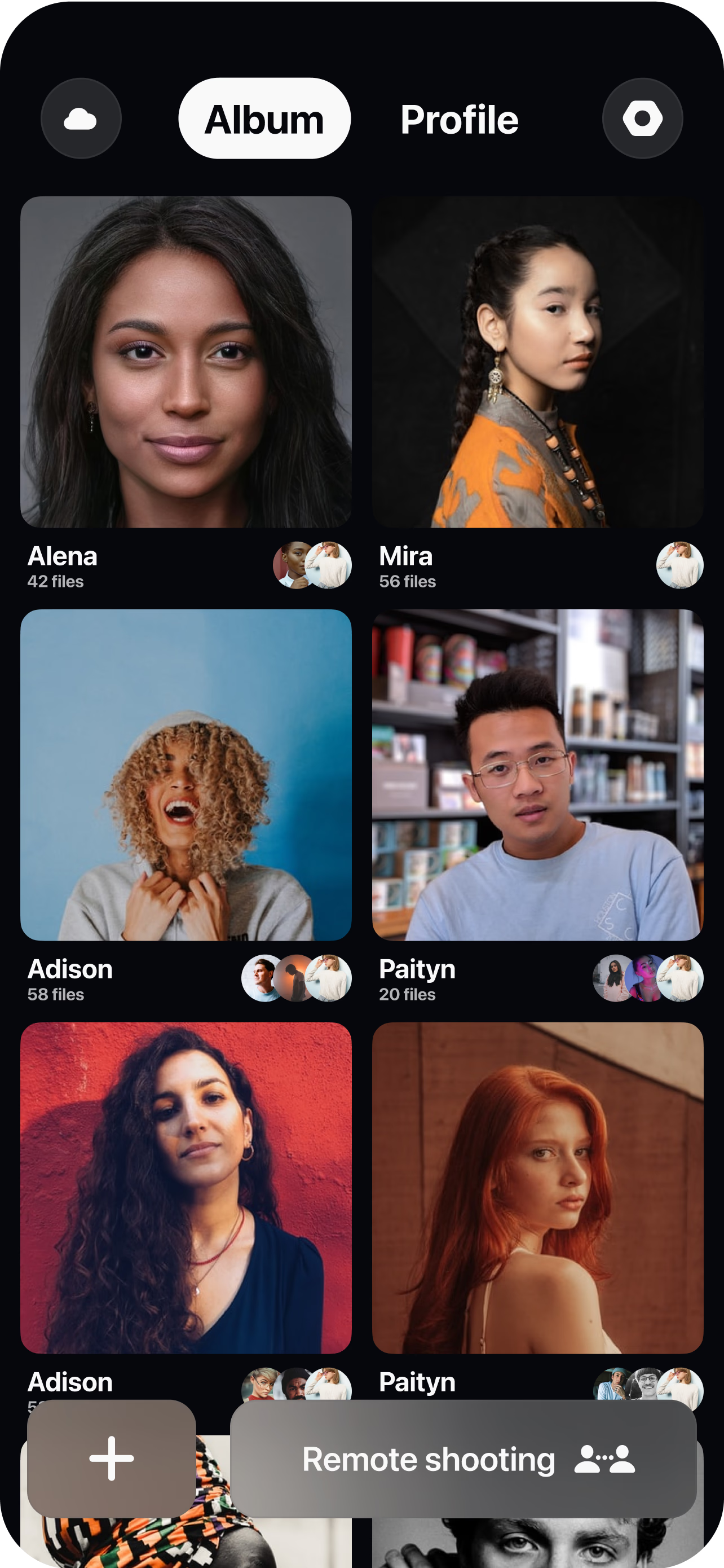
Brief the customer and open a room
Send a single link, share a quick shot list (a couple of portraits, a wide of their space, product b-roll), and spin up a virtual room in seconds.
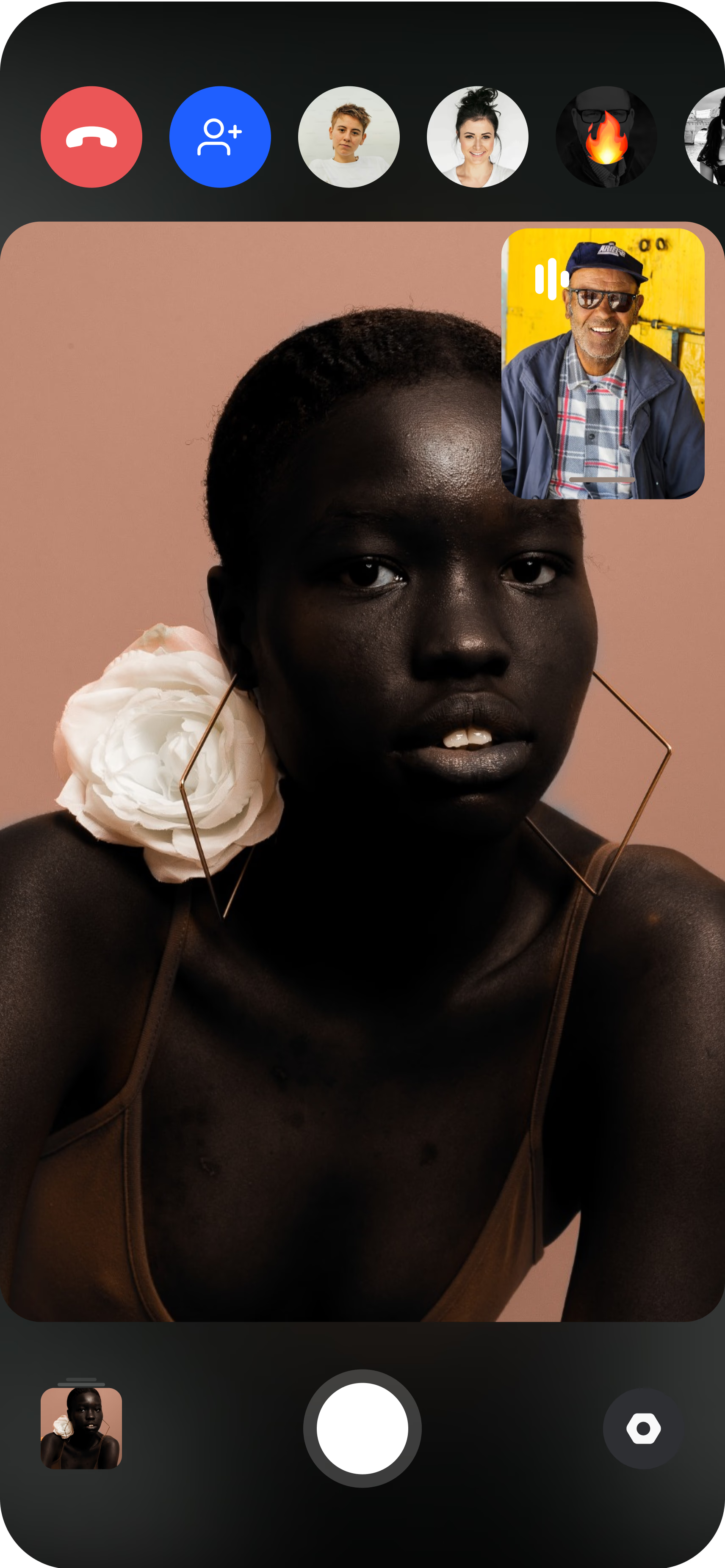
Pair the customer's phone
The customer joins from their iPhone or Android and props it on a desk, shelf or small tripod. You see their live feed instantly and can guide placement before a single frame is shot.
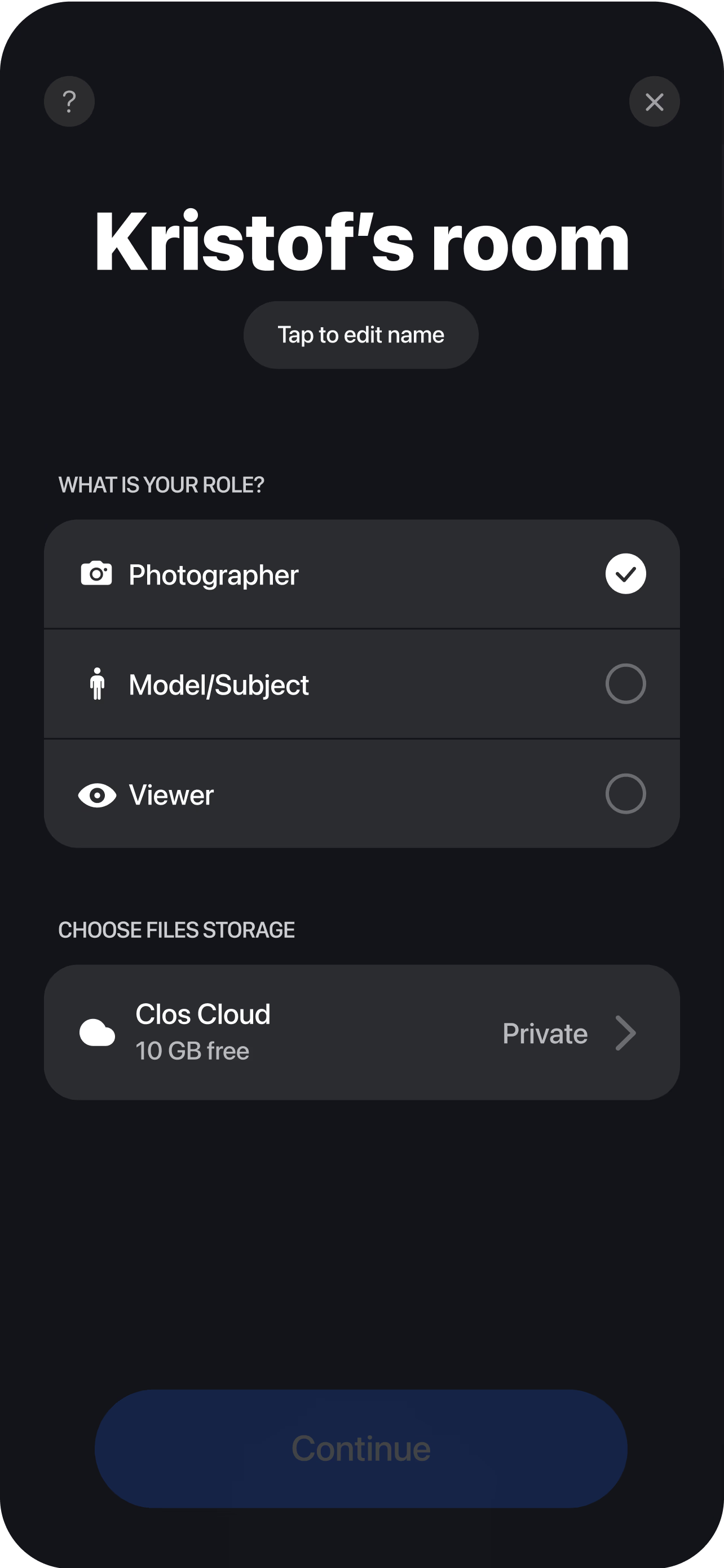
Direct and capture remotely
Adjust focus, exposure, ISO and white balance, reframe, and trigger stills or roll video yourself. You control the look while the customer simply works, talks or demonstrates their product. Every still and clip uploads to your dashboard in real time, so your editor can start cutting the case study before the call even ends.
Why marketing teams choose CLOS for customer stories
A customer story only converts if it feels true. CLOS is built so the imagery stays authentic and on-brand without the cost and friction of a travelling crew.
Why CLOS
- Authenticity at scale — real customers, real locations, captured remotely across any region
- Stills and video together — one session feeds the case-study page, the deck and the social cut
- Producer keeps creative control — framing, focus and exposure are yours, not left to the customer
- Faster customer yes — an hour on a call is far easier to approve than a film crew on site
- On-brand consistency — match framing and grading across every customer in your story library
- Lower cost per story — no flights, no day rates, so you can publish more case studies per quarter
Remote case study shoots vs. flying a crew vs. asking for selfies
| CLOS remote case study | Fly a crew out | Ask the customer to self-shoot | |
|---|---|---|---|
| Image & video output | Full-resolution stills & b-roll | Full-resolution stills & b-roll | Inconsistent phone clips |
| Creative control | Producer directs the camera remotely | Full on-site control | None — customer decides |
| Customer time required | ~1 hour on a call | Half to full day on site | Whenever they get to it |
| Travel & logistics | None | Flights, crew, scheduling | None |
| Cost per story | Low | High | Low but unusable |
| Time to first footage | Same session | Days to weeks | Unpredictable |
For a deeper comparison, see CLOS vs. Zoom for photoshoots and remote photoshoot vs. AI photoshoot.
Customer case study use cases
- Video case studies & testimonials — pair directed b-roll with an on-camera interview. See remote video testimonials.
- Authentic UGC-style proof — capture customers using your product in their own words. See remote UGC testimonials.
- Full remote video production — run a complete multi-shot session remotely. See remote video shoot.
- Customer interviews for stories — record structured customer Q&A remotely. See remote video interviews.
What you get on each plan
Start free, then upgrade when you need RAW, longer video and more storage for a full library of customer stories.
| Plan | Best for | Highlights |
|---|---|---|
| Free | A first remote customer story | 1 GB cloud, remote photo & video capture, focus & flash control, hi-res, archive download |
| Pro | Content teams publishing regularly | 5 GB cloud, RAW / Apple ProRAW, telephoto & ultra-wide, ISO / shutter / WB, up to 6 viewers, non-expiring albums |
| Enterprise | Brand & demand-gen teams at scale | Dedicated servers, team accounts, personal branding and custom features |
See full pricing for details.
Capture your next customer story remotely
Open a room, send your customer a link and direct authentic stills and b-roll in one session. Free to start — no credit card required.
Frequently asked questions
What is a remote customer case study shoot? +
How do I shoot a customer case study remotely with CLOS? +
Will the footage actually look on-brand and professional? +
Can I get both photos and b-roll video in one session? +
How much does it cost to produce a remote case study? +
How is this different from asking the customer to film themselves? +
Do customers need to install anything? +
Is the customer's content secure? +
Related
- Remote video testimonials
Pair directed b-roll with on-camera customer interviews.
- Remote UGC testimonials
Authentic, in-their-own-words customer proof.
- Remote video shoot
Run a full multi-shot video session remotely.
- Remote video interviews
Record structured customer Q&A from anywhere.
- Pricing
Free, Pro and Enterprise plans.