Virtual Real Estate Tours & Remote Property Photography
Get full-resolution listing photos and walkthrough video of any property without sending a photographer. Direct the owner, tenant or a junior agent on-site while you control the camera remotely.
Short answer
A virtual real estate tour is professional property photography and walkthrough video captured remotely. Someone already at the property — the owner, a tenant or a junior agent — holds the phone, while you control framing, focus and exposure from your desk. CLOS delivers full-resolution listing photos and tour video to the cloud as you shoot, so listings go live without booking a photographer.
Key takeaways
- Get full-resolution listing photos and walkthrough video without dispatching a photographer
- You control framing, focus, ISO and exposure remotely — the on-site person just holds the phone
- Anyone can be your camera operator: an owner, a tenant or a junior agent with a link
- Photos and tour clips land in the cloud in real time, ready to publish to the listing
- Shoot occupied, vacant or distant properties on the same day a listing comes in

What is a virtual real estate tour?
A virtual real estate tour is a property shoot run remotely. Instead of a photographer travelling to every listing, a person already at the property — typically the seller, the current tenant or a colleague — points a smartphone while the agent connects from anywhere. The agent frames each room, sets focus and exposure, and triggers the capture, producing the same full-resolution listing photos and walkthrough video a traditional shoot would deliver.
This is not a screen recording of a video call and not an AI-generated render of the home. CLOS turns the on-site phone into a directable, professional camera, so every shot is a real, high-resolution image of the actual property — captured under your direction.
How a remote property shoot works
CLOS keeps the workflow close to an in-person shoot, minus the drive across town.
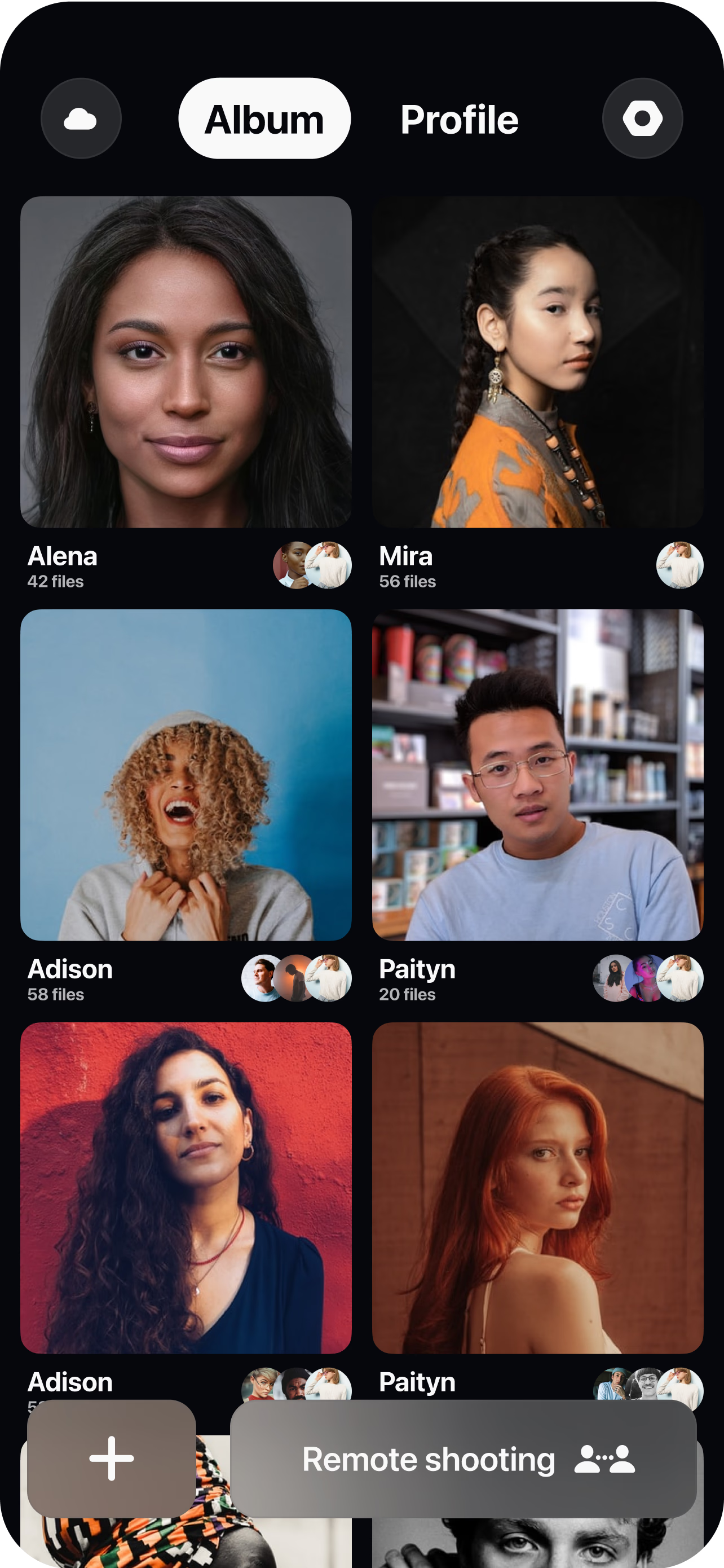
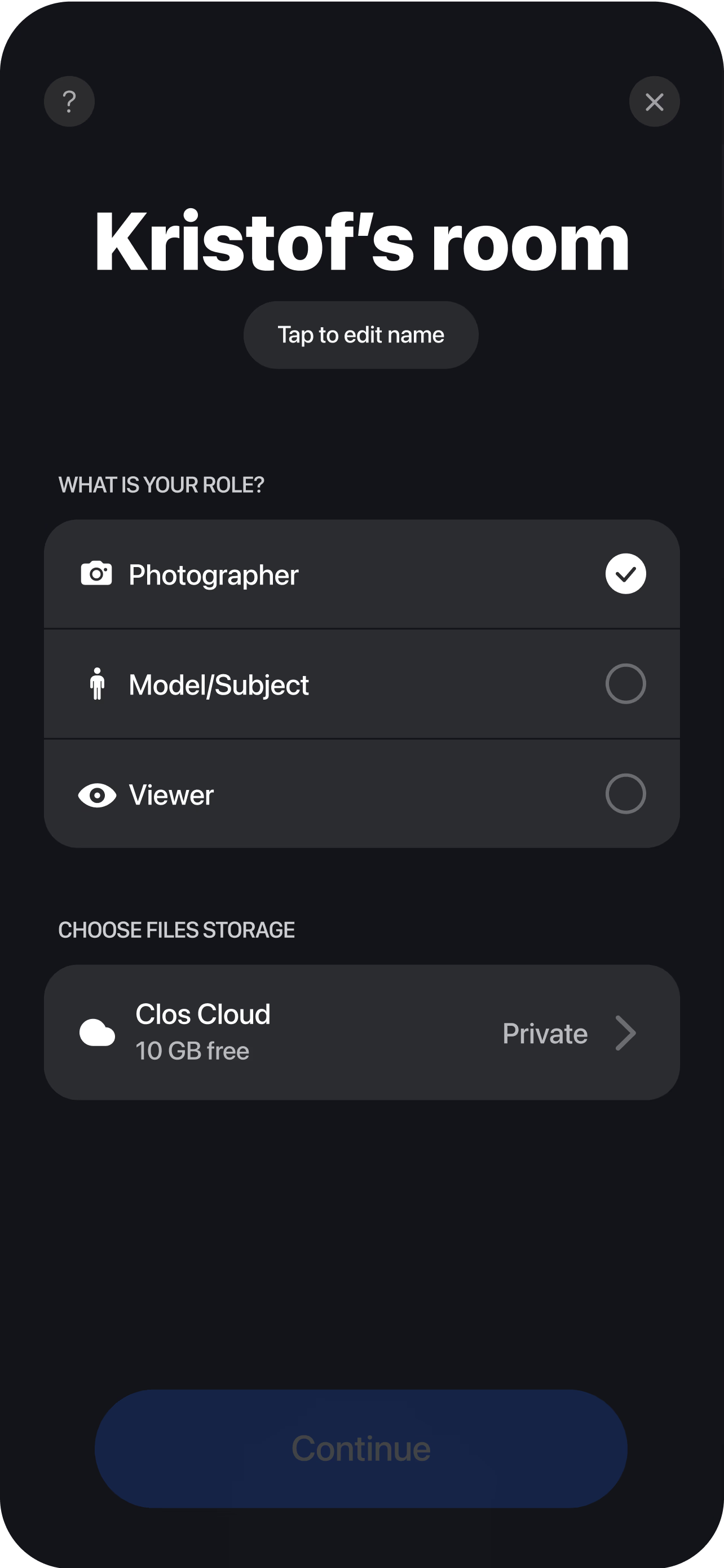
Create a room for the listing
Spin up a session and send the on-site person — owner, tenant or junior agent — a single link to join. No app store hunting and no scheduling a photographer.
Pair the phone on-site
They join from their smartphone and you see the live feed instantly. A small tripod or even a steady hand is enough to start capturing rooms.
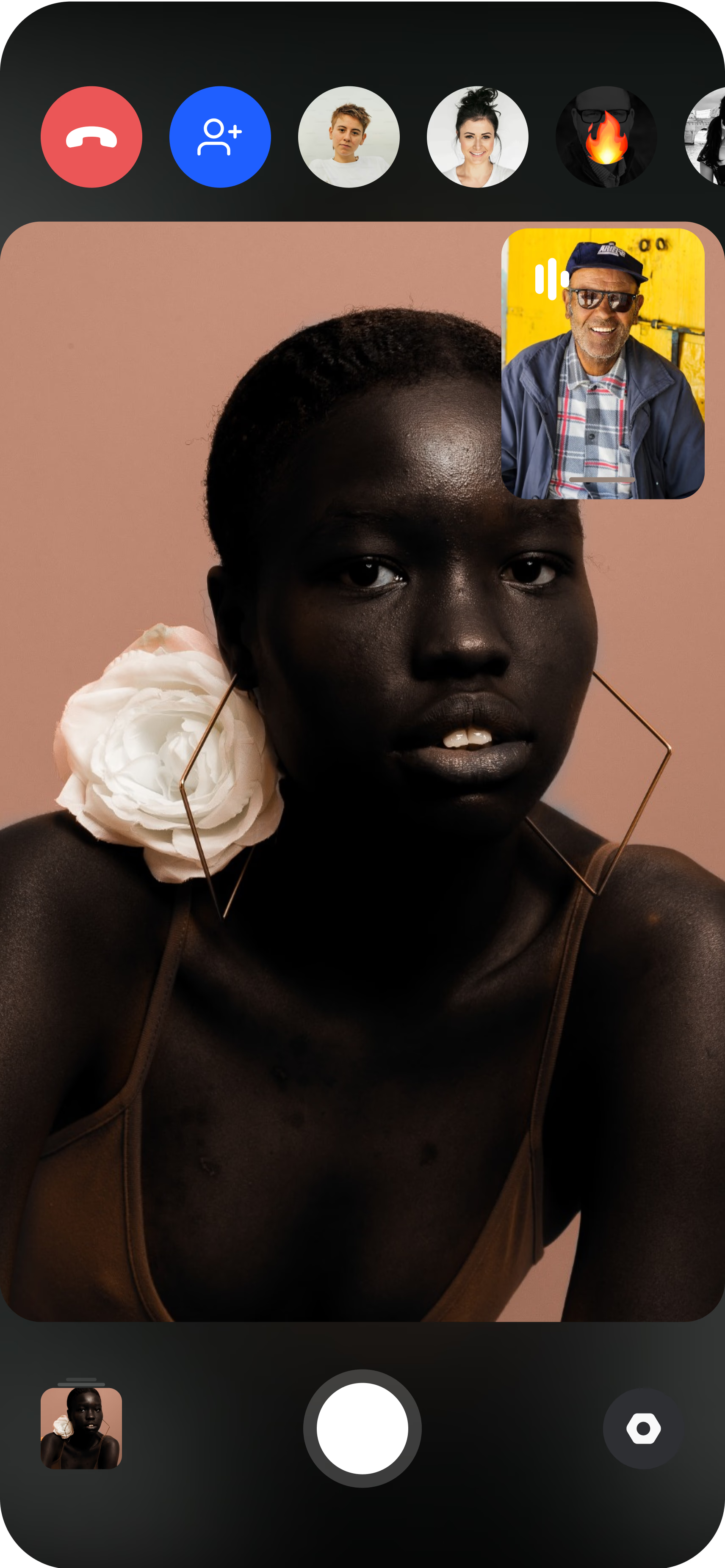
Direct and capture each room remotely
Guide them from space to space, straighten the frame, lock focus and exposure for windows and dark corners, then trigger full-resolution stills and roll walkthrough video. Every photo and clip uploads to your dashboard in real time, ready to download, edit and push to the MLS or listing portal the same day.
Why agents and brokerages choose CLOS
A listing rises or falls on its photos. CLOS protects image quality and keeps the agent in creative control, even when no professional is on-site.
Why CLOS
- You stay the art director — framing, exposure and focus are yours, not left to chance
- Same-day listings — capture a property the hour it's signed, no photographer lead time
- Lower cost per listing — skip per-shoot photographer fees and travel reimbursements
- Reach any property — occupied rentals, out-of-town listings and relocation units alike
- Photos and video together — stills for the listing and a walkthrough tour in one session
- Consistent brand look — every listing matches your agency's style across portals
Virtual tours vs. video calls vs. hiring a photographer
| CLOS virtual tour | Zoom / video call | Hire a photographer | |
|---|---|---|---|
| Listing image quality | Full-resolution photos & RAW | Low-res screenshots | Full-resolution photos |
| Remote camera control | Yes — focus, ISO, exposure | No | On-site only |
| Walkthrough video | Yes, captured in-session | Recorded call only | Extra booking |
| Lead time per listing | Same day | n/a | Days to schedule |
| Cost per property | From free | n/a for listings | Per-shoot fee + travel |
| Works on occupied / remote homes | Yes | Limited | Travel required |
For a head-to-head, see CLOS vs. Zoom for photoshoots and the best remote photoshoot apps.
Use cases for remote property photography
- Listing photos — capture bright, straight room shots for the MLS remotely. See remote product photography for the same approach applied to objects.
- Walkthrough tour video — record a guided clip of the whole home in one pass. See remote video shoot.
- Occupied rentals & turnovers — direct a tenant or property manager to capture units between leases. See virtual photoshoot.
- Out-of-town & relocation listings — shoot properties in other cities without travel. See remote video interviews for remote face-to-camera work.
What you get on each plan
Remote property capture scales with your pipeline — start free, upgrade when you need RAW and more storage for high-volume listings.
| Plan | Best for | Highlights |
|---|---|---|
| Free | Your first remote listing | 1 GB cloud, remote photo/video capture, focus & flash control, hi-res, archive download |
| Pro | Active agents | 5 GB cloud, RAW / Apple ProRAW, telephoto & ultra-wide, ISO / shutter / WB, up to 6 viewers, non-expiring albums |
| Enterprise | Brokerages & property teams | Dedicated servers, team accounts, agency branding and custom features |
See full pricing for details.
Shoot your next listing without leaving your desk
Create a room, send the owner or your colleague a link, and start capturing listing photos and tour video in minutes. Free to start — no credit card required.
Frequently asked questions
What is a virtual real estate tour? +
How do I shoot listing photos remotely with CLOS? +
Does the person at the property need photography skills? +
Can I capture walkthrough video as well as photos? +
Is CLOS free to use for real estate? +
How is this different from a video call walkthrough? +
Can I shoot occupied or out-of-town properties? +
What file formats do I get for listings? +
Related
- Virtual photoshoot platform
Run any remote shoot with full camera control.
- Remote video shoot
Capture walkthrough and tour video remotely.
- Remote product photography
The same remote workflow applied to products.
- Best remote photoshoot apps
How CLOS compares to other remote tools.
- Pricing
Free, Pro and Enterprise plans.